
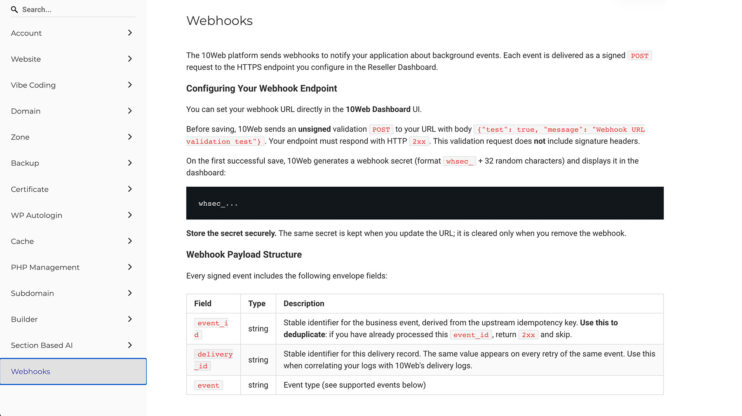
Website generation webhooks for API partners
If you build on the Website Builder API, you no longer need to poll for generation status. Register an endpoint and 10Web pushes generation lifecycle events to your system as they happen. This matters most to hosting providers and platforms embedding 10Web through the API, who need generation status to drive their own provisioning, notifications, and billing without polling. How…
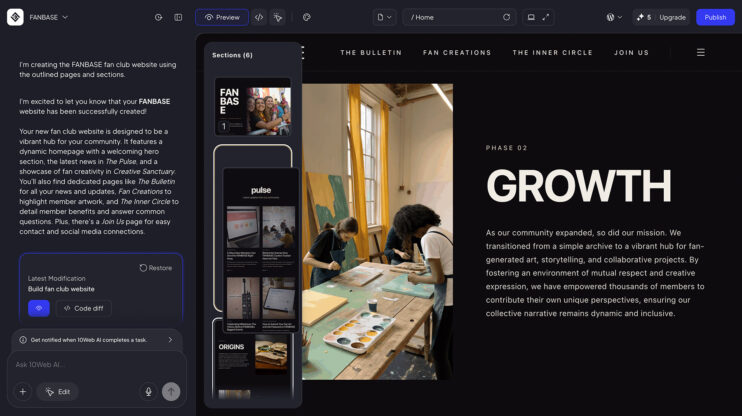
Drag a section. Drop it. Done
Restructuring a page no longer needs a prompt. A new miniature sections sidebar in Visual Editor shows your whole page at a glance. Grab any section, drag it into a new position, and the page updates live. And it works across your whole site: move a section to a different page, or duplicate it and send the copy to another…
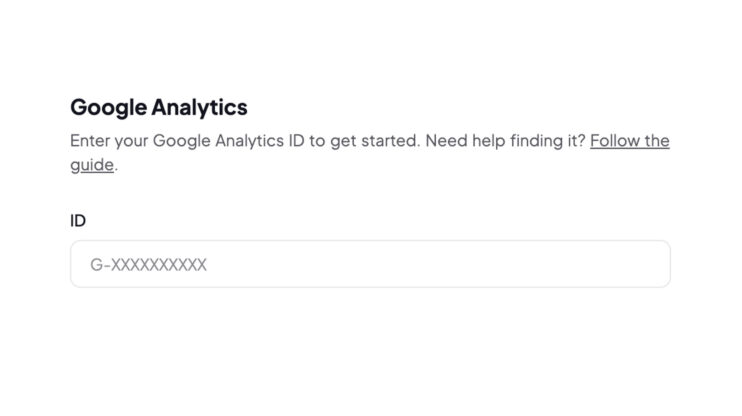
Your clients, in your Google Analytics
Connect your own Google Analytics key to your Reseller Dashboard and track how your clients use it: sign-ups, upgrades, and in-dashboard actions, all in your GA property. This matters most to builders who run growth on data and want first-party visibility into client behavior under their own brand. It is part of the white label website builder. How to use…
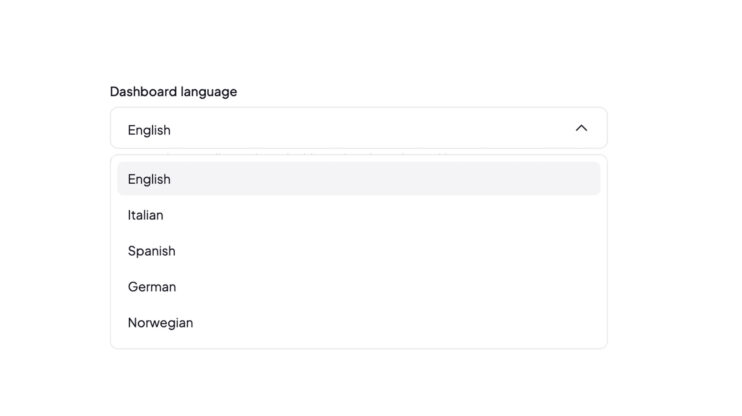
Client dashboards in German and Norwegian, emails in 4 languages
Serve clients in their native language, under your own brand. The White Label Reseller Dashboard is now available in German and Norwegian. Client lifecycle emails (trial, upgrade, cancellation, and more) ship in four languages: French, Spanish, German, and Norwegian. This matters most to agencies and resellers whose end clients expect a native-language experience under your brand. Localization is built into…
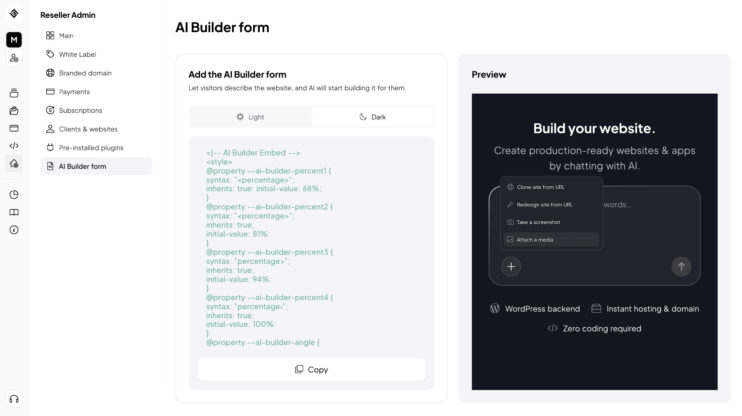
Generate websites with your client’s real images
Upload images directly in the website generation form in your Agency Suite dashboard. The generated site uses your client’s real photos and brand assets from the first draft. No post-generation swapping. This matters most to resellers and agencies generating sites for clients who already have brand photography and want it in the first draft. Good to know Available in the…
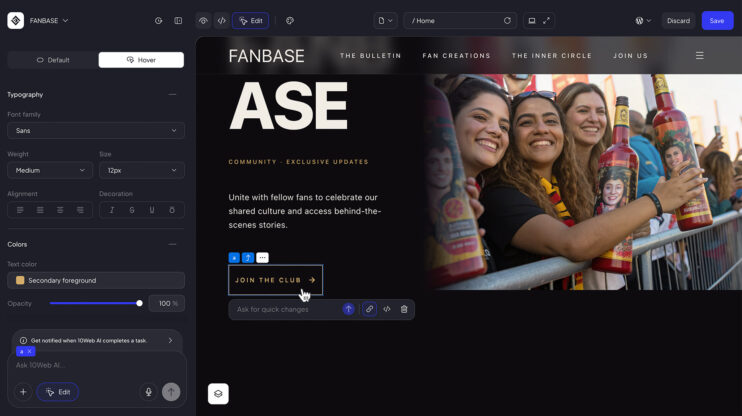
Hover states: add interactive effects to any element
Interactive sites react when you point at them. Now you can set that behavior yourself in the 10Web AI Website Builder. Pick an element, define its default look and its hover look, and the editor switches between them on hover. It works per element and lives in the same sidebar as the rest of your styling controls. This matters most…
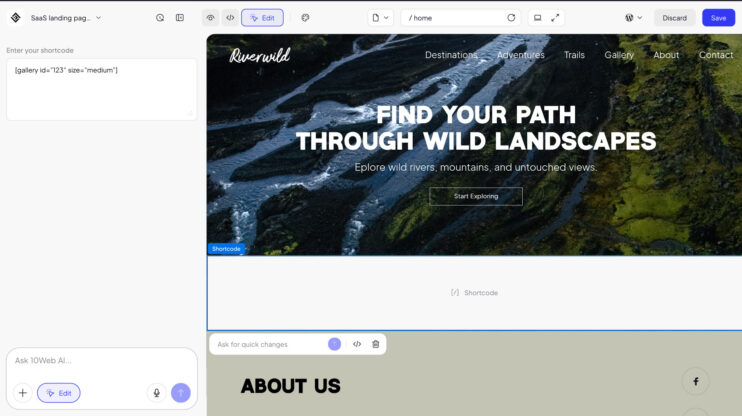
WordPress shortcodes: add any shortcode to your site
Shortcodes are how WordPress adds pre-made sections with some functionality: forms, galleries, pricing tables, booking widgets, and thousands more from plugins. Now you can add them directly inside the 10Web editor. Type a shortcode into the chat, or open the sidebar and use the Add Shortcode button. In the preview, every shortcode renders as its own block. This matters most…
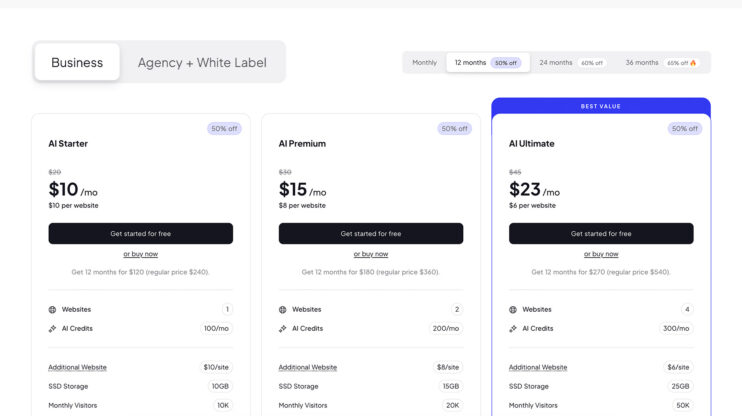
New business plans: every plan is now ecommerce-ready
We’ve restructured our plans. The big change: ecommerce features that previously required a separate Ecommerce plan are now included in every plan — WooCommerce store, product management, checkout, the lot. Plans also now include more websites than before. The new plans AI Starter — 1 hosted website. The simplest way to launch a single project. AI Premium — 2 websites,…
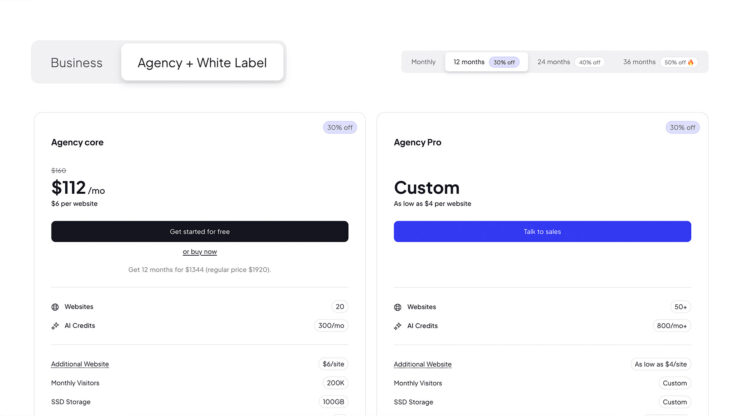
New Agency plans, built around the new Reseller Suite in 10Web platform
The new Agency plans replace the legacy White Label setup with the full Reseller Suite interface — the same infrastructure our white-label partners run on. The new Agency plans Agency Core — 20 websites, a branded dashboard and builder, client billing via Stripe or PayPal, and the Redesign / Clone / Figma agents. Agency Pro — 50+ websites with custom…
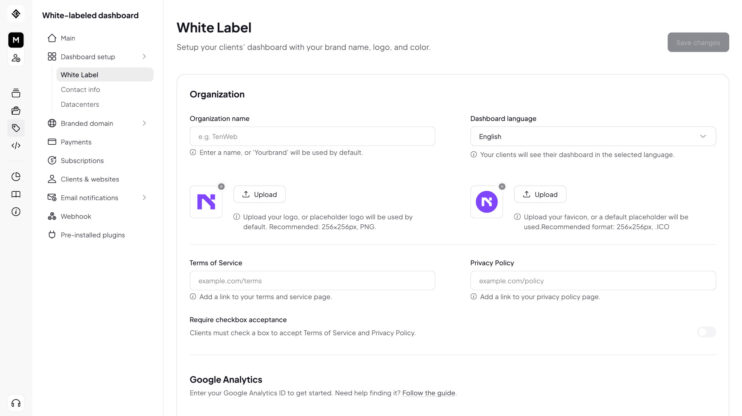
The new Agency Dashboard: everything white-label, now in your Agency plan
Functionality that used to require a separate White Label product is now built into the new Agency plans — one dashboard to run a productized web business under your own brand. What’s now included White-label branding — your logo, your brand across every client-facing surface, your platform. Custom plans & subscriptions — define your own plans and pricing, bundle 10Web…
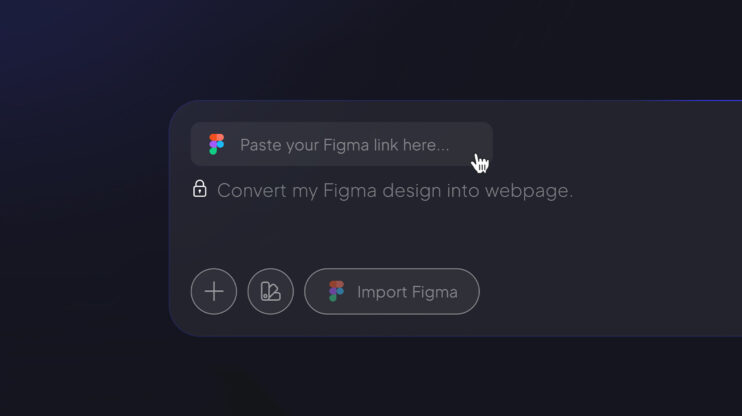
Figma Agent: from Figma design to live WordPress site
Connect your Figma account, paste a design link, and get a working WordPress site. No handoff specs, no rebuild from scratch. How to use it In the AI Website Builder prompt field, click Import Figma (it sits right in the prompt field, not behind the + icon). Pair your Figma account when prompted. Paste the Figma file link and hit…
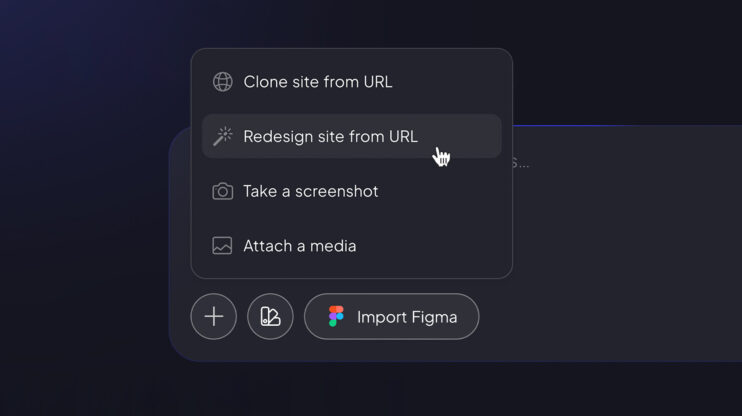
Redesign Agent: a modern refresh for any existing site
Point the Redesign Agent at any live site and get a modernized version — same content, same structure, new design language. How to use it Open the AI Website Builder prompt field. Click the + icon and select Redesign site from URL. Paste the link and hit Generate. The agent keeps the existing content and replaces the design. For agencies,…
