AI generation
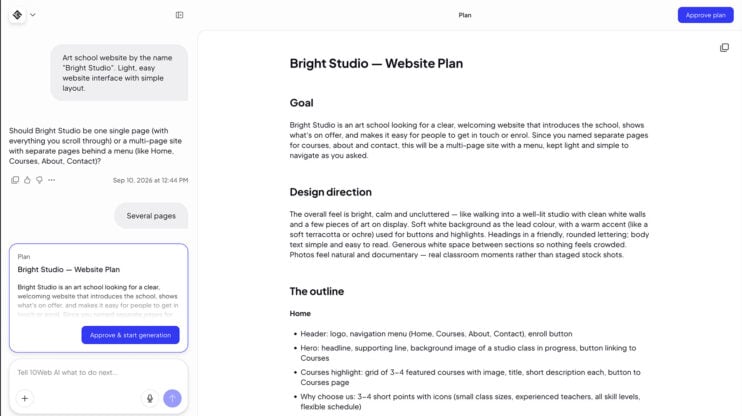
Meet the Planner Agent: review and edit the AI’s plan before it builds
The Planner Agent turns your prompt into a plan you approve. For every request it writes a unique plan, like a PRD for your website, and 10Web builds from exactly that plan. It works at both ends: when your site is generated in onboarding, and when you ask for a change in the editor. This matters most to builders who…
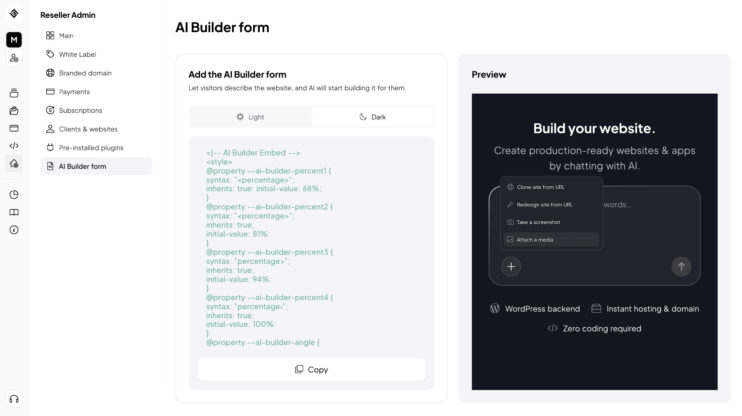
Generate websites with your client’s real images
Upload images directly in the website generation form in your Agency Suite dashboard. The generated site uses your client’s real photos and brand assets from the first draft. No post-generation swapping. This matters most to resellers and agencies generating sites for clients who already have brand photography and want it in the first draft. Good to know Available in the…
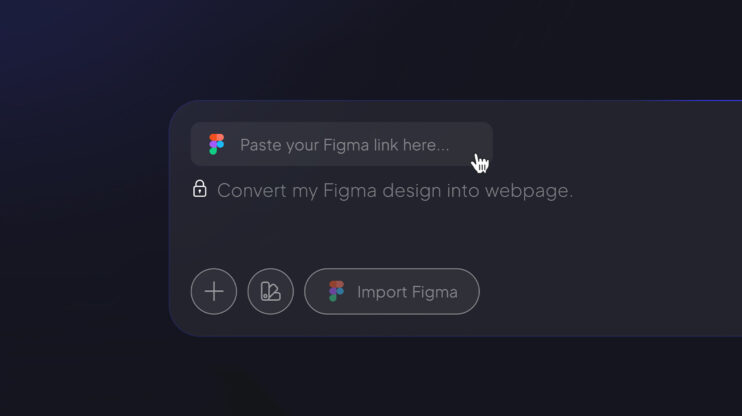
Figma Agent: from Figma design to live WordPress site
Connect your Figma account, paste a design link, and get a working WordPress site. No handoff specs, no rebuild from scratch. How to use it In the AI Website Builder prompt field, click Import Figma (it sits right in the prompt field, not behind the + icon). Pair your Figma account when prompted. Paste the Figma file link and hit…
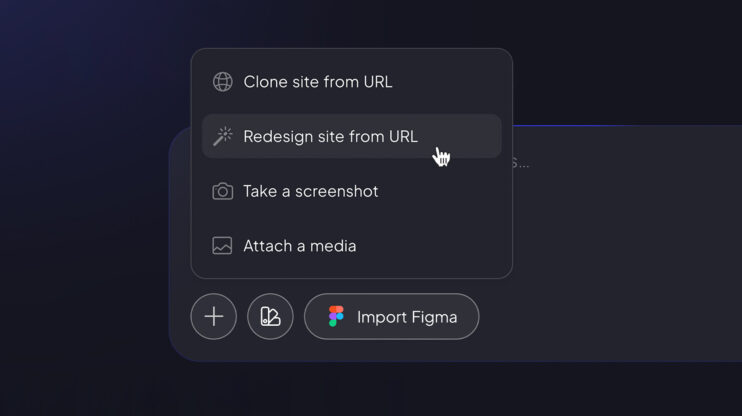
Redesign Agent: a modern refresh for any existing site
Point the Redesign Agent at any live site and get a modernized version — same content, same structure, new design language. How to use it Open the AI Website Builder prompt field. Click the + icon and select Redesign site from URL. Paste the link and hit Generate. The agent keeps the existing content and replaces the design. For agencies,…
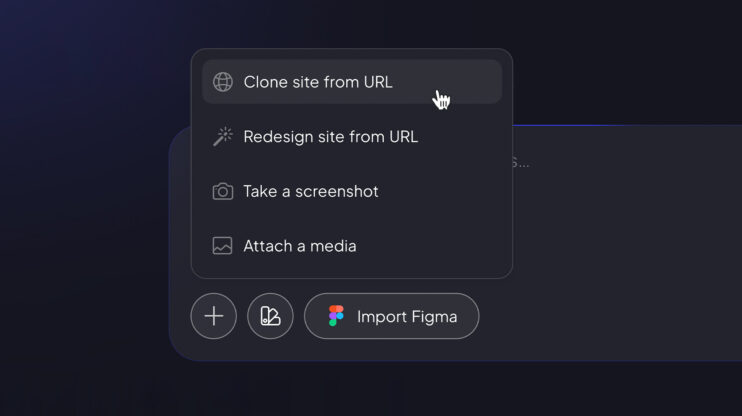
Clone Agent: from any URL to a working WordPress site
Got a site that needs to move to WordPress? Paste its URL and the Clone Agent rebuilds it as a working WordPress site that matches the source. How to use it Open the AI Website Builder prompt field. Click the + icon and select Clone site from URL. Paste the source link and hit Generate — once Clone mode is…
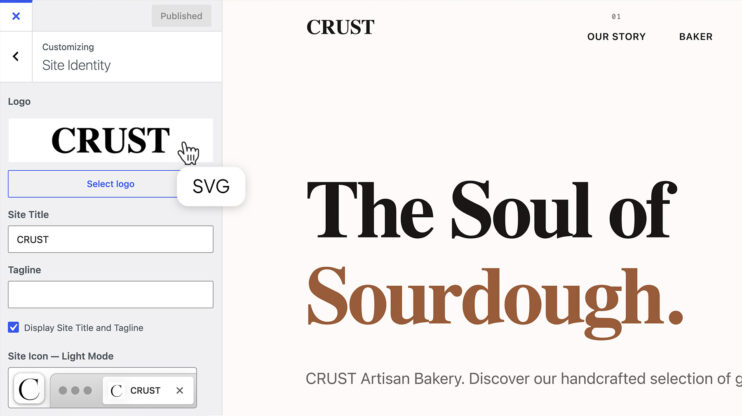
SVG logos, integrated with WordPress Site Identity
Every generated site — regardless of business category — now gets an SVG typography logo. No more pixelated raster logos that break on retina screens or clash with dark backgrounds. Why SVG matters here: Logos adapt automatically to dark/light modes (SVG only). They’re editable like any other element — in chat editing and the Visual Editor alike. Prefer a raster…
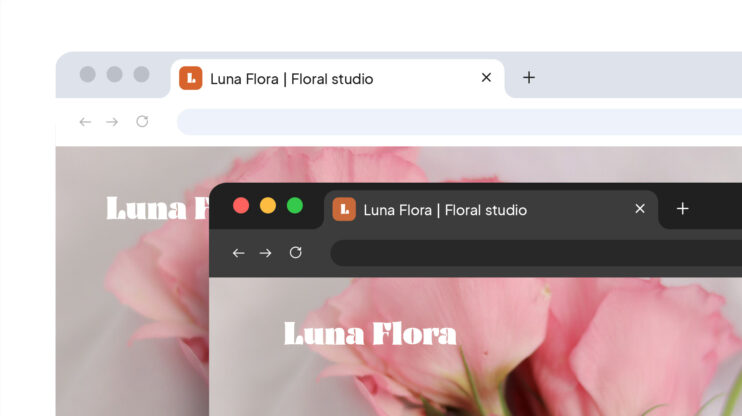
Favicons, handled automatically
Every published site now gets an auto-generated favicon — and it adapts automatically to the browser’s dark or light appearance mode, so it stays visible in any tab bar. It’s a small thing that compounds: 10–15 minutes saved per site launch, multiplied across every site in an agency portfolio. And for white-label partners, it’s one less detail customers can get…
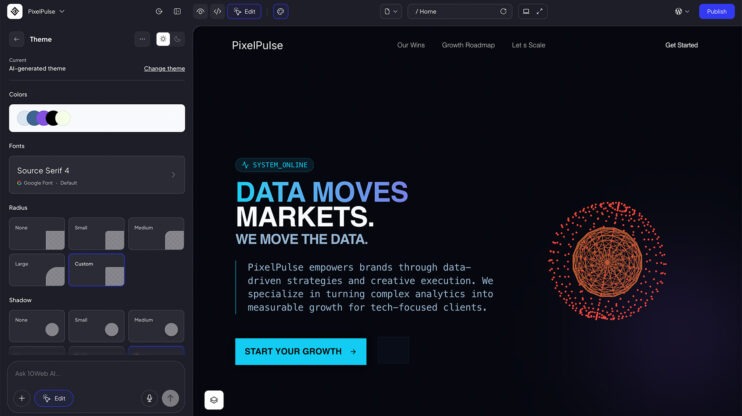
Global Themes: one design system across all your sites
Every site you generate can now start from a real design system. Pick one of 10 predefined system themes during generation (Bold Heritage, Brutalist, Calm Rose, Fresh Lime, Modern Slate, and more), skip and let AI generate a custom theme for the project, or take full control in the Visual Editor. In-editor theme controls: main color palette, font family, global…