

Free AI tools

Logo Maker.

Design a stunning logo in minutes with AI, no design skills required.

No credit card required. 30-day money-back guarantee.

How to create a logo for your brand.

Follow these simple steps to make a perfect logo for your business with AI.

  1. Generate

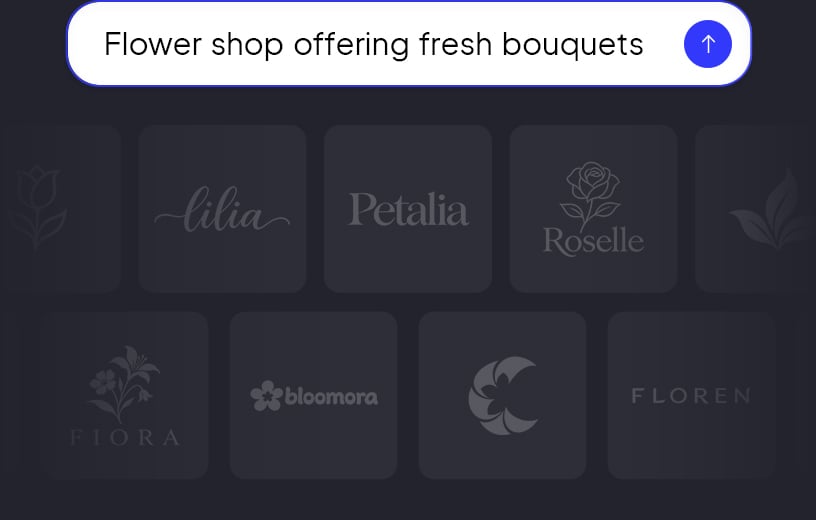
    Describe & let AI create.

    Provide a brief description of your business, select a preferred logo style, and let AI generate a variety of logo options in seconds. Each design is tailored to match your brand identity and industry.

    AI Logo Maker, step 1: Describe & let AI create
  2. Customize

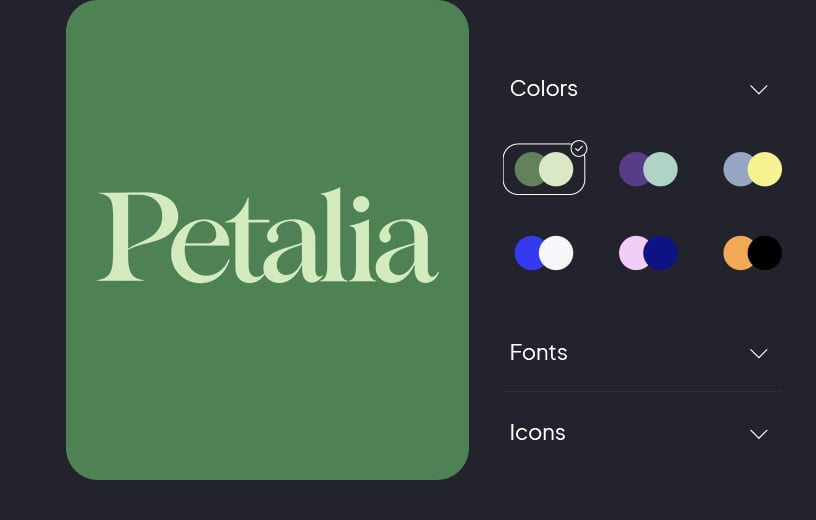
    Edit & personalize.

    Customize your logo design by adjusting colors, fonts, icons, and layout to perfectly align with your brand’s aesthetic. You can also tweak the business name and other elements to make it truly unique.

    AI Logo Maker, step 2: Edit & personalize
  3. Download

    Review & download.

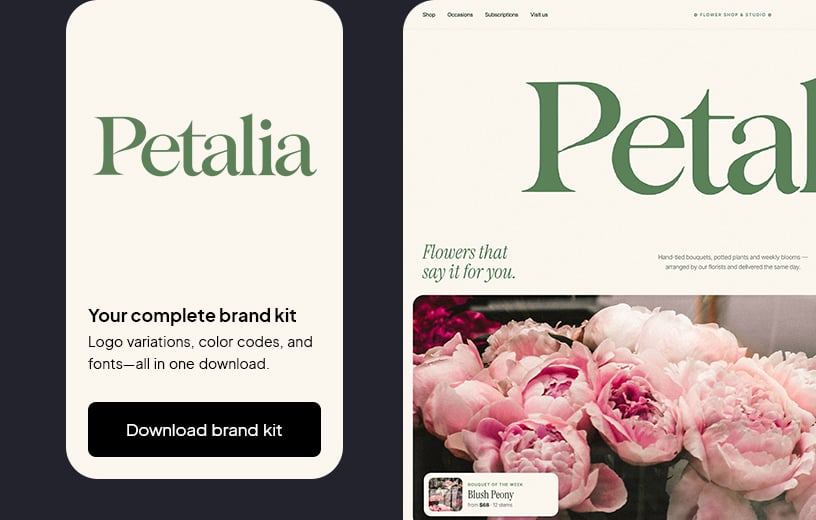
    Finalize your logo and download a complete brand kit, including logo variations, color codes, fonts, a matching website, and more— everything you need to establish a strong brand identity.

    AI Logo Maker, step 3: Review & download

The benefits of using our Logo Maker.

No matter if you're running a restaurant, salon, or any other business, you're sure to find the perfect logo design with our tool. Enjoy these benefits that make creating your brand’s identity easier than ever.

Free to use.

Our logo generator is 100% free, with no hidden costs or surprise charges. You can create and download as many logos as you need, whether you're starting a new project or rebranding your business. Enjoy the freedom to design without worrying about subscription fees or paywalls.

Instant results.

Why spend hours designing when you can have a professional logo in just a few minutes? Our tool simplifies the process so you can go from idea to finished design quickly. Perfect for busy entrepreneurs who want to launch their brand without delay.

Endless creativity.

Our AI technology provides limitless design options, ensuring you always have fresh and unique logo ideas to choose from. Whether you need something modern, classic, or completely out-of-the-box, you’ll find a logo that perfectly represents your brand’s style and personality.

Customizable designs.

We give you complete control over your design. While generating your logo, you can adjust the colors, fonts, layouts, and icons to perfectly align with your brand’s identity. This ensures that the final logo not only looks great but truly matches your vision and values.

High-resolution files.

Once your logo is ready, download it in high-resolution formats, perfect for any use —whether it’s on your website, social media, or printed marketing materials. Our logos are designed to look sharp and professional, no matter where you use them.

Powerful AI technology.

Our advanced AI is designed to take your input and turn it into a high-quality logo that feels tailored to your business. It learns from your preferences to offer designs that match your style, making the process intuitive and easy while delivering results that feel professionally crafted.

250K

logo designs created with 10Web Logo Maker.

Join over 250,000 creators that have made professional logos with 10Web Logo Maker. Our intuitive AI tool helps you design a unique brand identity in minutes—no design skills required.

Make your logo with AI

Tips for creating a memorable logo.

Creating a logo is a key step in building your brand’s identity. Follow these expert tips to design a logo that’s memorable, versatile, and perfectly aligned with your business vision.

Keep it simple.

A good logo should be easy to recognize and memorable. Avoid complex designs or too many elements. A clean, straightforward logo can make a stronger impact and is easier for people to remember.

Make it relevant.

Your logo design should reflect your brand’s identity, values, and the industry you’re in. Choose colors, fonts, and icons that resonate with your target audience and align with what your business stands for.

Ensure versatility.

Your logo will appear in many places— from websites and social media to business cards and billboards. Design a logo that looks great in different sizes and works in both color and black- and-white.

Use appropriate colors.

Colors evoke emotions and associations, so it’s important to choose the right ones for your logo. For example, blue often conveys trust and professionalism, while red can evoke passion or urgency.

Choose the right font.

Fonts can communicate a lot about your brand. A bold, modern font might be perfect for a tech company, while a more elegant, serif font could work better for a luxury brand.

Think about longevity.

Trends come and go, but your logo should stand the test of time. Focus on creating a design that will look good years from now. Avoid overly trendy elements that might make your logo look outdated quickly.

Your logo is ready - here is what to do next.

Register or trademark your logo
Develop a brand style guide
Launch your website with the new logo
Apply your logo to marketing materials

Learn why people love our Logo Maker.

  • “So easy to use! Got a great logo in minutes.”

    Sarah M.Jewelry Shop Owner
  • “Fast, simple, and my logo looks awesome.”

    Mary G.Small Business Owner
  • “Way better than other logo tools I’ve tried. It’s easy to use, and the logos actually look good—not cheap or generic.”

    Anita K.Event Planner

Frequently asked questions.

Yes, you can generate a logo using AI. AI logo generators use smart algorithms to create unique, professional-looking logos based on your brand name, industry, style preferences, and color choices. Usually, you simply enter a few details, and the tool provides you with several design options to choose from—no design skills needed. It's a fast, affordable, and beginner-friendly way to create a brand identity.

One of the best free AI tools to generate logos is 10Web’s AI Logo Maker. It’s designed to help you create a unique, professional-quality logo in just minutes—no design experience needed. Just enter your business name or short description and select your style preferences, and the AI instantly generates multiple logo options tailored to your brand.

What makes it stand out? You not only get unique, stylish designs right away, but you can also fully customize any logo using the advanced editor—adjust fonts, colors, icons, layouts, and more to make it truly your own. Whether you’re launching a new business or refreshing your brand, 10Web’s AI Logo Maker gives you a fast, beginner-friendly, and flexible way to create the perfect logo.

Creating a logo with 10Web’s online Logo Maker is simple and straightforward. You start by describing your business and selecting a preferred logo style. The AI then instantly generates a variety of logo designs tailored to match your brand identity.

Once you’ve picked a design you like, you can personalize it using the advanced editor—adjusting colors, fonts, icons, and layout to perfectly align with your brand’s look and feel. You can also tweak the business name and other elements to make it truly unique.

When everything looks just right, you can finalize your design and download a complete brand kit, including logo variations, font files, color codes, and more—everything you need to build a consistent, professional brand identity.

Yes, our advanced logo maker is completely free to use, with no hidden fees or premium subscriptions. You can generate and download as many logos as you need without any cost.

When generating your logo, you have complete control over various design elements. You can select from a vast array of color palettes, font styles, layouts, and symbols to ensure the logo aligns with your brand’s identity. This flexibility enables you to create a logo that feels unique and resonates with your target audience while maintaining consistency with your brand vision.

The 10Web Logo Maker is designed to deliver professional-quality logos quickly. Once you provide your brand information and design preferences, our AI instantly generates multiple logo options. You can typically go from concept to finished logo in just a few minutes, making this an ideal tool for busy entrepreneurs who need quick, high-quality results.

At this time, 10Web AI Logo Maker focuses on providing AI-generated logos based on the brand information you input. While you can’t upload custom images or symbols directly into the tool, our extensive range of design customization options, including fonts, colors, and layouts, ensures that you can still create a highly personalized logo.

Yes, all logos created with the 10Web Logo Maker are available for download in high-resolution formats.

Our logo creator is designed to work for virtually any industry or business type. Whether you’re starting a tech startup, opening a café, launching an online store, running a fitness brand, offering consulting services, or building a personal blog, you’ll get designs that reflect your brand’s personality and purpose.

Close
Talk to sales

Connect with your
account manager!

  • Discover how 10Web’s White-Label/API solutions fit your business needs.
  • Receive a custom offer to launch white-labeled, AI-powered websites.
  • Get hands-on guidance and support for a smooth integration.

* For technical questions and customer support inquiries please contact our 24/7 support team via

Select the solution you want to explore

Continue

* For technical questions and customer support inquiries please contact our 24/7 support team
via

Processing your request. This will only take
a few seconds.

Your request is received.

Thank you for contacting us. Your account manager
will reach out shortly.

Done