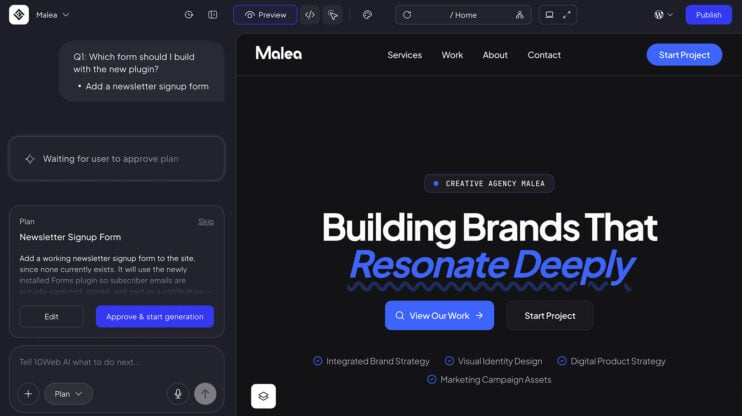
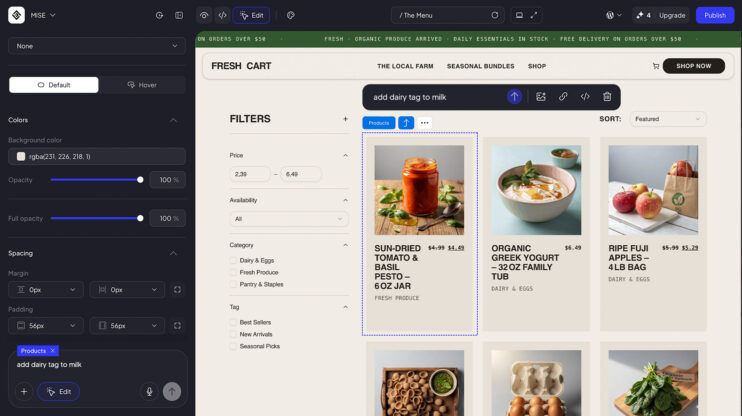
The Planner Agent turns your prompt into a plan you approve. For every request it writes a unique plan, like a PRD for your website, and 10Web builds from exactly that plan. It works at both ends: when your site is generated in onboarding, and when you ask for a change in the editor.
This matters most to builders who want to see and shape exactly what the AI will build or change before it happens.
How to use it
- Describe the site you want in onboarding, or ask for a change in the editor.
- The Planner Agent proposes a plan. Read it, rewrite it by hand, or approve it as is. In onboarding you can also skip it.
- Approve, and the site is generated or changed based on exactly the plan on screen. Nothing is built until you do.
Good to know
- Every prompt gets its own unique plan, so the plan reads like a PRD for that specific request.
- A sound plays when a plan is ready, so you can look away while it is prepared.
- The Planner Agent is part of the AI Website Builder. See plans on the 10Web platform.
Share article