
 Co-Founder & President at 10Web
Co-Founder & President at Krisp
Partner at Big Story VC
Co-Founder & President at 10Web
Co-Founder & President at Krisp
Partner at Big Story VC

 Master of business Administration(MBA)
Doctor of Philosophy(PhD), Mathemtics
Master’s degree, Physics
Master of business Administration(MBA)
Doctor of Philosophy(PhD), Mathemtics
Master’s degree, Physics

How to Fix the NET::ERR_CERT_COMMON_NAME_INVALID Error
The NET::ERR_CERT_COMMON_NAME_INVALID error is a common headache for internet users. It pops up when there’s a mismatch between the domain name listed on a website’s SSL certificate and the domain you’re trying to visit. This security measure is crucial for ensuring that the site you’re visiting is actually the site it claims to be. It protects you from malicious sites…

Fixing the ERR_TUNNEL_CONNECTION_FAILED Error
The ERR_TUNNEL_CONNECTION_FAILED error can feel like hitting an unexpected roadblock. This error is your browser’s way of telling you that something was off course while trying to establish a secure tunnel for communication with the web server. Let’s unravel the mystery behind this error, understand where it stems from, and how you can navigate past it to smoother internet browsing….

How to Resolve the ERR_INTERNET_DISCONNECTED Error
The ERR_INTERNET_DISCONNECTED error is a common issue that users encounter while browsing the internet, indicating that the browser is unable to establish a connection to the internet. This error can be frustrating as it halts online activities, presenting itself as a clear sign that your computer or device is not communicating with the network or the internet service is interrupted….

How to Fix a 402 Error
The HTTP 402 status code, dubbed “Payment Required,” stands out within the landscape of HTTP errors. At its core, the 402 Payment Required status is a part of the HTTP status code family, which the Internet Assigned Numbers Authority (IANA) maintains. Unique in its classification and application, it diverges from the more commonly encountered status codes by pointing to a…

How to Resolve the 409 Conflict Error
The “409 Conflict” error is an HTTP status code that indicates a disagreement between your request and the server’s current state, essentially preventing you from accessing or modifying a webpage as intended. This error is not as cryptic as it seems and often has straightforward fixes, whether you’re a casual browser or a website administrator. Here’s how you can identify…

How to Fix ERR_OSSL_EVP_UNSUPPORTED Errors
Encountering the ERR_OSSL_EVP_UNSUPPORTED error can be a hiccup for developers working with various languages, frameworks, and development tools. This error often stems from a mismatch in security protocols within your development environment, particularly with the OpenSSL cryptographic software library. OpenSSL, which provides SSL and TLS protocols for secure communication, sometimes faces compatibility issues with other development tools due to updates…
Fixing the HTTP 304 Not Modified Status Code
Let’s dive into one of the web’s handier responses, the HTTP 304 Not Modified status code. This status code is all about efficiency and speed. When you’re browsing the web, there’s a lot of back-and-forth communication happening between your browser (the client) and the servers hosting the websites you visit. This communication is governed by HTTP (Hypertext Transfer Protocol). HTTP…

How to Resolve the ERR_QUIC_PROTOCOL_ERROR
The ERR_QUIC_PROTOCOL_ERROR is tied to the QUIC protocol. QUIC stands for Quick UDP Internet Connections, a relatively new protocol developed by Google. It’s designed to make the web faster, especially focusing on the time it takes to start a secure connection. It does this by reducing the number of steps in the handshake process required to establish a connection, among…
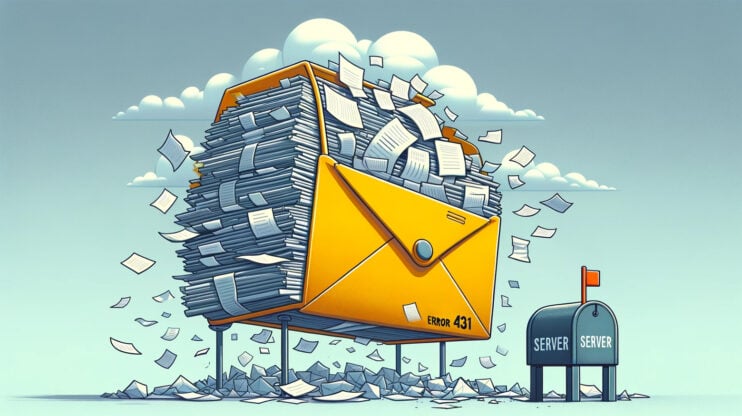
How to Resolve HTTP Error 431
Encountering an HTTP Error 431, tagged as “Request Header Fields Too Large,” can throw a wrench into your web surfing or site management plans. This error is part of the HTTP status code family, which serves as a system for servers to communicate with your browser about the state of your request. While some codes indicate success, others, like the…

How to Fix a 413 Request Entity Too Large Error
The “413 Request Entity Too Large” error in WordPress is like hitting a roadblock when you’re trying to upload content to your site. It signals that the file you’re trying to upload is, well, too large for the server to handle. But don’t worry, you’re not at a dead end. With a few tweaks to your server’s settings, you can…
How to Resolve ERR_FILE_NOT_FOUND in Google Chrome
The ERR_FILE_NOT_FOUND error in Google Chrome can be a frustrating roadblock for users trying to access specific resources or develop new extensions. This error signifies that Chrome is unable to retrieve a file or resource, often due to issues unrelated to the actual availability of the file. Surprisingly, the problem often lies within Chrome itself, particularly with its extensions, rather…

How to Resolve ERR_BAD_SSL_CLIENT_AUTH_CERT
When you’re surfing the web with Chrome and get stopped in your tracks by the ERR_BAD_SSL_CLIENT_AUTH_CERT error, it’s like hitting a red light on a smooth highway. This error is Chrome’s way of saying, “Hey, something’s not right with this website’s SSL certificate, and I can’t let you in safely.” This scenario is crucial because SSL (Secure Sockets Layer) and…
