
White Label Web Development: Delivery Models and Stack Decisions for Agencies
White-label web development lets agencies sell and deliver websites under their own brand without building a development team from scratch. The client works with the agency. A development partner or an internal stack handles the build. The agency owns the relationship, the pricing, and the final deliverable.
Choosing a stack for white-label delivery is a different decision from choosing a stack for a single project. A tech choice made for one client carries only that project’s risk. The same choice running across 50 or 200 client sites, all delivered under your brand, is a business architecture commitment. A poor fit at fleet scale compounds — costs, capacity, and client experience all absorb it.
What is white-label web development
White-label web development is an arrangement where one party builds websites and a second party delivers them under its own brand. The end client never sees who wrote the code. The delivering agency controls the contract, the communication, and the client experience from start to finish.
The model runs in two directions. Some agencies hire a white-label development partner: a team that builds under the agency’s brand, stays invisible to clients, and delivers completed work. Others build their own delivery stack: developers, chosen platforms, and self-managed infrastructure that the agency controls directly. Both produce white-label output. They differ in who owns the technical decisions and who carries the operational risk when something goes wrong.
Agencies that handle more than ten active client sites typically run some version of both. A white-label partner handles overflow or specialist builds. An internal stack handles core delivery. The stack question is really a question about which model covers which work and what it requires technically to run at scale.
White-label delivery models
The hire-a-partner model keeps upfront costs low. An agency pays per project, avoids fixed developer salaries, and scales capacity without adding headcount. The tradeoff is dependency. When a partner misses a deadline or ships inconsistent quality, the agency takes the reputational damage with the client. Stack mismatch sharpens this risk: if an agency’s projects are primarily WordPress and a partner specializes in Webflow, every engagement carries extra coordination overhead that the agency absorbs.
The own-stack model gives the agency control over consistency, tooling, and quality standards. Every site in the fleet runs on the same infrastructure. Updates, performance standards, and security patches can be managed centrally. The cost is engineering overhead: the right hiring profile, ongoing maintenance, and the time to build the infrastructure before it earns anything.
A third path is a managed platform with a built-in white-label layer, covered in the 10Web section below.
What each stack does for white-label agencies
Each of the three stacks solves a different layer of the white-label delivery problem. Understanding where each one starts and stops prevents an agency from over-engineering a client portfolio or under-building infrastructure that needs to scale.
WordPress: The delivery layer
WordPress is the most operationally practical foundation for white-label agencies delivering marketing sites and ecommerce at volume. Its template and clone workflow is the engine of the white-label production model: a site built and refined for one client becomes the starting point for the next ten, all delivered under the agency’s brand. Non-technical clients can manage their own content. The plugin ecosystem covers SEO, forms, booking, and ecommerce without custom development.
At fleet scale, the plugin model creates operational risk. A bad update hits every client at once. Performance overhead from plugin conflicts drags Core Web Vitals across the entire portfolio simultaneously. The agency’s brand takes the damage, not the plugin vendor’s. Agencies running large WordPress fleets need a management layer above the CMS to handle bulk updates, security patches, and per-client billing from one dashboard. WordPress does not provide this natively.
WordPress fits when:
- The white-label portfolio is primarily marketing sites, local business presences, and WooCommerce stores
- Non-technical client handoff is a consistent delivery requirement
- Template reuse and clone workflows are central to the agency’s production model
React: The application layer
React is the right stack for web application interfaces. For white-label agencies, the trigger is a client portal, a custom dashboard delivered under the agency’s brand, or a shared component library that needs to deploy consistently across the client fleet. Page builders do not approximate these well. Forcing them to try produces maintenance debt that compounds with every new client.
React is the most widely used web framework among professional developers at 39.5% according to the Stack Overflow Developer Survey 2025. The hiring pool is broad, but the profile differs from a WordPress generalist. Running React means operating a frontend build pipeline: bundling, testing, deployment, and CI/CD.
Client-side rendering also creates indexing risks. Server-side rendering via Next.js resolves most of this but adds architectural complexity that rarely pays off for standard white-label site delivery.
React fits when:
- White-label clients need application-like interfaces that page builder plugins cannot replicate
- The agency is building a shared component library deployed consistently across the client fleet
- Projects require embedded tools under the agency’s brand: editors, configurators, or real-time data interfaces
Laravel: The platform layer
Laravel is a platform stack, not a website stack. Agencies that reach for Laravel are building something that manages websites rather than delivers them: a multi-tenant control layer where each client account carries its own billing state, permission structure, and configuration, all under the agency’s brand.
Choosing Laravel means operating as a software company. The agency needs deployment pipelines, database migrations, observability, and engineers who own the platform long-term.
Laravel fits when:
- The white-label platform manages dozens or hundreds of client accounts with distinct billing and permission states
- APIs must connect client frontends, partner tools, and third-party integrations at scale
- Enterprise requirements like audit logs, SSO, or granular access control are non-negotiable
Quick comparison
| Technology | Primary role | Multi-tenancy | Best for |
| WordPress | White-label site delivery | Needs a fleet management layer added | Marketing sites, ecommerce, content-heavy white-label portfolios |
| React | White-label application UI | Must be architected in from the start | Client portals, dashboards, shared white-label component libraries |
| Laravel | White-label platform backend | Native fit for complex tenant isolation | Multi-tenant platforms, SaaS backends, API infrastructure |
How 10Web changes the stack equation
Serious white-label agencies at scale typically combine all three stacks: WordPress for client site delivery, React for the admin or white-label UI layer, and Laravel for accounts, billing, and permissions underneath. The combination is architecturally coherent. It also requires three codebases, three hiring profiles, three deployment pipelines, and ongoing integration maintenance across all of them.
10Web’s Agentic Website Builder delivers in one platform what that combination produces. The distinction from other AI builders is specific. Most AI tools for WordPress operate as plugins, which means their output cannot exceed what the plugin architecture allows. 10Web generates real React code and publishes it to WordPress. The output is production-ready React components running on the CMS that powers 43% of the web, not a plugin sitting inside it. That makes it the best fit website builder for agencies that want to standardize delivery without maintaining multiple engineering stacks.
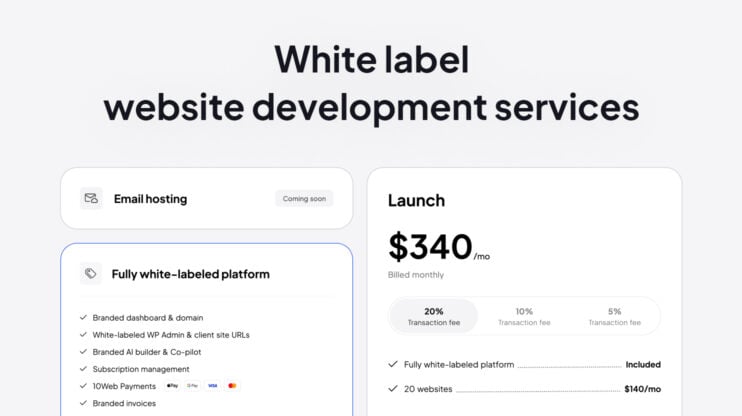
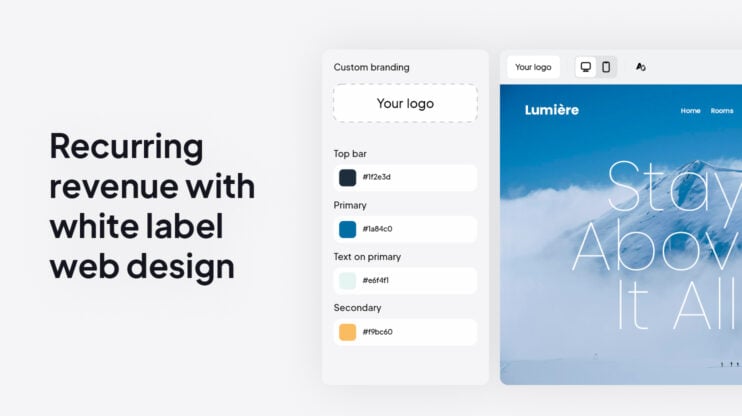
The white-label solution handles fleet management natively. All client sites run under one dashboard, under the agency’s own brand, with per-client billing and a white-labeled interface. The multi-tenant layer is part of the platform, not something the agency builds and maintains separately.
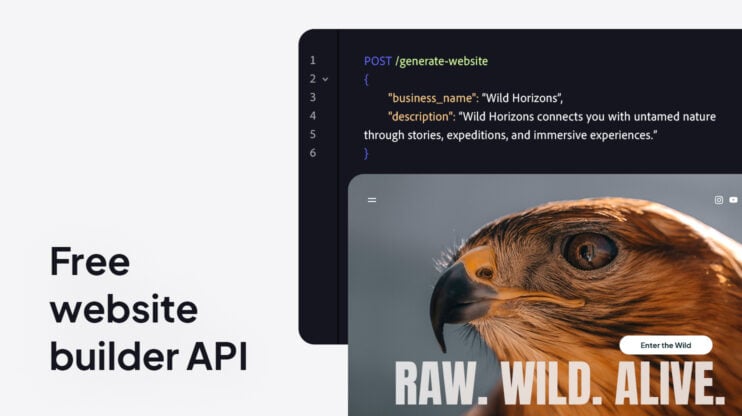
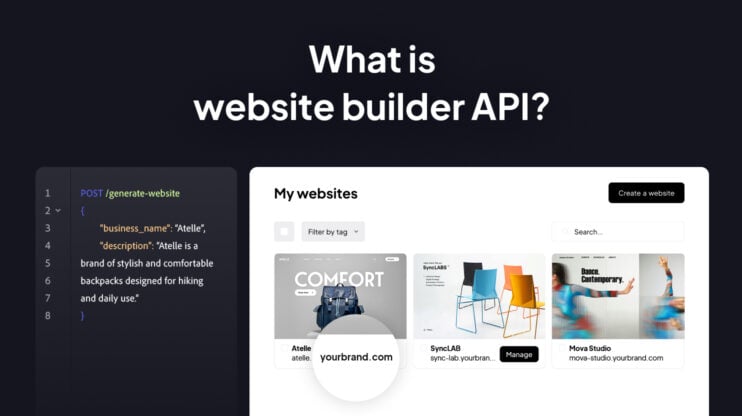
For agencies with an existing backend, the Website Builder API handles site generation as a service. The system uses a LangGraph-based multi-agent architecture with ten specialized agents covering layout, content, code output, and WordPress publishing. Agencies integrating via the API have gone live in under two weeks.
The platform represents more than 30 engineers working on AI-driven website generation on WordPress for more than seven years. For agencies whose differentiation is strategy and client relationships rather than engineering, licensing this infrastructure shortens the path to fleet-scale delivery by months.
Turn delivery and support into a repeatable service, and launch live, editable WordPress sites in minutes under your own brand.
White Label Website Builder
Which stack should your agency choose
The right answer follows from what the agency primarily sells and how many client sites sit under its brand.
- WordPress: the default for marketing sites, local business presences, and ecommerce delivered at volume under your brand
- React: the right choice when a client portal, dashboard, or custom interface needs more than a page builder can produce
- Laravel: appropriate only when the agency runs a platform — multi-tenant accounts, billing logic, and API infrastructure at scale
- Hybrid: most agencies land here — WordPress for the majority of delivery, React where the interface demands it, Laravel only when the product warrants it
- Build vs. license: building the hybrid stack takes six to twelve months of engineering time that could go toward client work; agencies whose differentiation is strategy and relationships reach the same outcome faster by licensing it through a platform
Conclusion
The delivery model an agency chooses for white-label web development is not a technical preference. It is a product decision that determines how the agency scales, what it can charge, and how much operational risk it carries as the client portfolio grows. Agencies that treat the stack as an afterthought tend to rebuild it under pressure, mid-portfolio, with clients already depending on it. Agencies that resolve the delivery model before the portfolio grows build a service that compounds: each new client site strengthens the infrastructure rather than straining it. The stack serves the business when the decision is made at that level from the start.
FAQ
What does tech stack mean in a white-label agency context?
A tech stack is the combination of technologies used to build and deliver client websites. For white-label agencies, it also includes everything that manages those sites under the agency’s brand: fleet dashboards, hosting architecture, billing, client permissions, and update workflows. The delivery layer is only part of the picture.
How do agencies efficiently manage dozens of client WordPress sites under one brand?
The most reliable model is a centralized fleet management layer above the CMS. This handles bulk updates, security patches, per-client billing, and site-level configuration from one dashboard. WordPress does not provide this natively. Agencies either build it themselves or use a platform designed for fleet-scale operations.
What is multi-tenancy, and why does it matter for white-label agencies?
Multi-tenancy means multiple client accounts, each with their own data, billing state, and configuration, running inside one system without accessing each other’s data. It is the architecture that makes a white-label platform manageable at scale. WordPress does not support it natively. Laravel does. For agencies managing large client fleets, multi-tenancy separates a scalable platform from one that becomes impossible to operate.
Can WordPress realistically handle hundreds of white-label client sites?
Yes, with the right infrastructure around it. The CMS itself is not the constraint. The constraint is everything built on top: hosting architecture, update workflows, fleet dashboards, client billing, and staging environments. Agencies that run large WordPress fleets successfully almost always have a management layer above the CMS, either built internally or sourced from a platform.
What is the difference between WordPress Multisite and separate installs for agencies?
WordPress Multisite runs multiple sites from one installation, sharing a codebase and database. Separate installs give each client an independent environment. Multisite is easier to update centrally but restricts plugin and theme compatibility, and one site’s issue can cascade across the network. Separate installs are more isolated but require centralized tooling to manage at volume. Neither solves fleet management on its own.
Is 10Web a WordPress plugin?
No. Most AI website builders for WordPress operate as plugins and cannot produce output beyond what the plugin architecture allows. 10Web’s Agentic Website Builder generates real React code and publishes it to WordPress. The output is production-ready React components running on the CMS, not a plugin inside it.
How is 10Web different from other AI website builders for agencies?
Most AI builders produce templates or drag-and-drop layouts inside a proprietary system. 10Web uses a multi-agent architecture that generates real React code published directly to WordPress. For white-label agencies, the platform includes a reseller dashboard for fleet management, per-client billing, and a white-labeled interface—all under the agency’s brand. The infrastructure layer is built in, not constructed separately.