
Most products that serve small businesses eventually hit the same question:
Our users need websites. Are we really going to build a whole website platform ourselves?
If you try to build it all in-house, the website builder intended as add-on value to raise ARPU quickly becomes an ongoing project. Now it needs work on the editor UX, WordPress or another CMS, hosting, domains, DNS, SSL, backups, performance tuning, AI content, and ecommerce. The list never stops.
The 10Web Website Builder API is designed to shortcut that. APIs are increasingly transforming businesses, turning organizations into platforms seemingly overnight. Instead of building and operating a website platform, you plug an API into your SaaS, hosting, or domain product. Your app stays in control of the experience, while 10Web runs the AI, WordPress, and hosting machinery in the background.
What the 10Web Website Builder API actually does
At a high level, the API provides your platform with endpoints to create, generate, and manage WordPress websites on 10Web’s managed infrastructure. The API is more than an embeddable builder. It’s plug-and-play white-label website infrastructure you can leverage from your own backend.
From blank WordPress to AI-generated sites and stores
First, you can programmatically create WordPress sites.
Your backend calls the API to create a new website. 10Web provisions a fresh WordPress install on its hosting, with containers, caching, CDN, backups, staging, and SSL handled for you. What you get back is a website_id and a URL that you store in your own database and tie to a user or account. At that point you already have a real, hosted WordPress site, just empty.
The next step is the highly sought-after AI website generation.
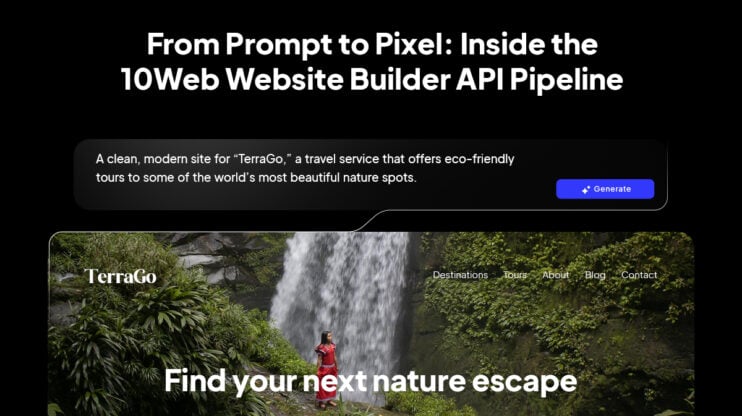
Instead of leaving the site blank, you send the API a brief: business type, name, a short description, language, and whether it should be a store or a regular site. The AI pipeline turns that into a complete WordPress website or WooCommerce store, with pages, layouts, navigation, copy, images, and basic setup. From your product’s point of view, you’ve turned onboarding data into a live website with a single call to a website creation API.
Where you trigger this is up to you. For end users, it could be a step during signup, after a domain purchase, or during the Create website step in your dashboard, to support complete Website-as-a-Service (WaaS) flows. Meanwhile, your team gets automation tools for building, optimizing, and managing sites at scale. The API is agnostic, so everything appears as a part of your branded platform. Your UX decides the moment.
Domains, DNS, SSL, backups, and staging via API
The builder is only half the story. The rest is everything users normally wrestle with in separate control panels.
The Website Builder API gives you programmatic access to the boring but critical pieces:
- Domains and DNS: Attach domains to a site, manage DNS, and wire up everything without sending users to external DNS UIs.
- SSL: Generate and manage certificates for mapped domains to make HTTPS everywhere the default.
- Backups and restores: You retain control over integrated security, backups, and restore capabilities.
- Staging environments: Create staging copies and sync changes between staging and the live environment.
Combined, this is essentially a website management API for managed WordPress. Your product gets the controls. 10Web keeps the servers, storage, and automation running.
Editor, auto-login, and plugin presets
On the front end, it’s still WordPress, with the familiar Admin dashboard, but 10Web layers a visual editor (Elementor-based) and an AI Builder UI on top. So non-technical users can edit and regenerate content without writing code. The API then gives your product a secure way to hand users into that environment:
- Your backend requests an autologin token for a given website.
- You construct a single-use login URL with that token and the user’s email.
- When the user hits that URL, WordPress logs them in (creating an admin user for that email if it doesn’t exist yet) and lands them either in wp-admin or directly on the AI Builder page, depending on the parameters you include.
You never have to show or store WordPress credentials. Your app has a reliable Edit website button that feels native, but opens a fully managed WordPress site and AI editor behind the scenes.
Defined plugin presets ensure every new site comes with your preferred stack (SEO, forms, ecommerce, analytics, etc.). Since this is a white-label website builder API, end users never see 10Web powering the editor, hosting, or performance optimization. You own the customer experience throughout the lifecycle.
How it works in practice
You don’t have to change frameworks or move your stack to use the Website Builder API. You plug into the API when and where you need it to power new capabilities in your application.
The core integration model
Generally, most API integrations follow a similar pattern:
Your frontend collects the business data and user intent, and invites customers to Create my website, Get this domain, or Generate with AI. Your backend makes the request using the API’s extensive set of endpoints for managing and creating websites, and 10Web handles the WordPress, hosting, AI builder, DNS, SSL, and backups.
Your own system remains the source of truth for who owns which site, what plan it’s on, and how it shows up in your UI. You decide where to expose features and functions to your end-users.
The result is a product that feels like a cohesive part of your UX, but from your engineering team’s perspective, you’re mostly orchestrating API calls and listening for events.
From onboarding form to live site: a typical flow
For example, a SaaS platform might choose to implement the AI Website Builder as a part of the onboarding flow:
- During onboarding, the user tells you what kind of business they run and what they’re called.
- Once the account is created, your backend calls the Website Builder API to create a new WordPress site and gets back a website_id.
- You immediately call the AI generation endpoint with that website_id and the business brief. Once generated, the website’s ready for review and fine-tuning in the visual editor.
- If the user has (or later buys) a custom domain through you, your backend uses the domain and DNS endpoints to connect that domain and provision SSL.
To the user, it looks like your platform includes an AI website builder. Technically speaking, it’s a bounded integration within your stack.
10Web’s Website Builder API vs. White-Label Reseller Dashboard
The Website Builder API is AI-powered website infrastructure that partners use within their own platforms and dashboards to power new features and capabilities for customers. This type of implementation is beneficial when you already have a full UI, and want to build on that.
The white-label reseller dashboard delivers the API’s AI website generation and management power into a brandable UI.
When the API on its own is enough
You’ll likely want the Website Builder API if:
- You already have (or want) your own product dashboard.
- You plan to keep UX for things like onboarding, My websites, and billing inside that dashboard.
- You mainly need a website builder with API integration, AI generation, hosting, domains, backups, and editing access as a part of your existing product.
The API is designed to complement your existing platform, particularly when:
- You run a SaaS platform or marketplace and want get a website to be part of onboarding or account setup.
- You’re a hosting company or domain registrar and want to go from domain purchased to website live on that domain without sending users elsewhere.
- You’re building a Website-as-a-Service or vertical solution and need to create and manage many sites per customer via API.
- You want the flexibility and ecosystem of WordPress and WooCommerce, but don’t want to run WordPress infrastructure or build your own AI website generator.
In all of those cases, the Website Builder API lets you behave like a website platform, with AI generation, WordPress, hosting, domains, backups, without hiring a whole team to build and maintain that stack.
When it makes sense to add the reseller dashboard
There are also situations where the API could be overkill:
- A freelancer or boutique agency that needs a handful of sites is better served by the regular 10Web AI Website Builder than by wiring an API into anything.
- Teams that have already built their own proprietary builder and only want AI copy or content blocks may find a simpler AI content API more appropriate than a full text-to-WordPress and hosting pipeline.
- If your product has no natural place for a website feature, you might start with the white-label reseller dashboard alone rather than integrating the Website Builder API into your core UX.
The White-Label Reseller Dashboard is best thought of as a complete, branded hub for reselling websites and related services:
- Fully branded dashboard under your domain.
- Plan and billing control, Stripe integration, invoices, MRR reporting.
- Client and site management, role-based access, pre-installed plugins, and analytics.
Partners can also pair the two:
- Use the Website Builder API to embed website flows into their core product.
- Use the reseller dashboard as an internal/partner console for managing subscriptions, plans, and client sites.
If you want websites to feel like a built-in feature of your app, start with the API.
If you want a branded dashboard for reselling and operations, the reseller dashboard is a turnkey solution.
A website platform, delivered as an API
The 10Web Website Builder API gives you an entire AI-powered, WordPress-native website platform, complete with provisioning, generation, hosting, domains, DNS, SSL, backups, staging, editor, plugin presets, and white-labeling, wrapped in a REST API your product can control.
Request a demo or an API key with access to a sandbox environment and see how the Website Builder API works for you.
FAQ
What is the 10Web Website Builder API in simple terms?
The 10Web Website Builder API is a REST API that lets your platform create, host, and manage full WordPress websites on 10Web’s infrastructure. Instead of sending users to a separate builder, you call the API from your backend to generate sites and content with AI, attach domains, manage SSL and backups, and hand users straight into an editor under your brand.
How is this different from the regular 10Web AI Website Builder UI?
Do I need a specific tech stack or programming language?
No. The 10Web API is a standard REST/HTTPS API with JSON payloads, so you can integrate it from any backend stack (Node.js, PHP, Python, Ruby, Java, .NET, etc.). The API docs show generic request/response examples; there are no language-locked SDK requirements.
Can the whole experience be fully white-labeled under my brand?
You keep your domain, dashboard, navigation, and billing.
Users access an Elementor-based editor and AI Builder via autologin links that can be branded and embedded.
WordPress admin and the builder can be white-labeled so users see your brand, not 10Web.
That’s why 10Web positions it specifically as a white-label AI website builder API for platforms.