Here’s the math that goes unnoticed by most agency owners: managing 30 client WordPress sites, at 15 minutes per site for weekly plugin updates alone, costs you 7.5 hours every week. At a billable rate of $100/hour, that’s nearly $3,000 a month in unbillable overhead just for updates.
What’s the solution? Maybe you set up a WordPress Multisite network to centralize everything. Or you went the reseller hosting route, expecting the dashboard to handle the complexity. Either way, two years in, you’re still logging into sites one by one, one bad plugin update is threatening your entire client roster, and your hosting control panel looks like it was designed before the era of touch screens.
Managing multiple WordPress sites isn’t a hosting problem. It’s a systems design problem: how to balance centralized control with complete isolation between client environments. This is an architecture problem, and neither WordPress Multisite nor traditional reseller hosting was designed to solve it.
This guide breaks down exactly what each approach can and can’t do, where each one breaks for agencies at scale, and what the right infrastructure actually looks like when you need centralized control and per-client isolation at the same time.
The promise vs. the reality of managing multiple WordPress sites
Both WordPress multisite and reseller hosting sell agencies the same idea: one place to manage everything. The pitch is compelling enough that agencies routinely build their entire client delivery model around one or the other.
At a structural level, both approaches solve only half the problem:
- WordPress multisite: centralization without isolation
- Reseller hosting: isolation without centralization
With Multisite, the appeal is obvious. One WordPress installation, one dashboard, one place to push plugin updates across every site in the network. With reseller hosting, the draw is control: you buy server resources in bulk, provision isolated accounts for each client, and earn a margin by reselling what you don’t use.
The reality diverges quickly from the pitch at around 15–20 sites. By the time an agency is managing 20 or more client properties, the operational gaps in both systems compound into something that can’t be patched with plugins or a better hosting plan.
This is the point many agencies hit what can be called the 30-site threshold: the stage where small management inefficiencies turn into a recurring operational cost center.
What is WordPress multisite and what it was built for
WordPress Multisite is a single WordPress installation that runs multiple sites from one shared database and admin panel. A single admin area controls themes, plugins, and users across all sub-sites in the network. It centralizes updates and management but sacrifices isolation between sites.
It was designed for very specific use cases: universities running department websites, news organizations managing regional editions, franchise brands with dozens of near-identical storefronts. The common thread is uniformity, sites that share codebases, branding, and plugin stacks by design.
For those scenarios, Multisite is genuinely powerful. One update pushes everywhere. Shared users can access multiple sub-sites. Content can be distributed across the network from a single point. When the architecture fits the use case, it works well.
The problem is that most agencies aren’t building a university intranet. They’re managing 25 separate client businesses, each with unique plugins, custom themes, different traffic profiles, and clients who expect their site to be completely independent of anyone else’s.
The 4 real limitations agencies hit with multisite
- One bad plugin update can take down every client at once. Because all sites share a single database, a plugin conflict or corrupted update on one site can affect the entire network. Without true isolation, even containing a malware issue becomes difficult.
- Plugin flexibility is controlled at the network level. Plugins are controlled at the network level, so individual clients can’t install or run their own tools. This makes it difficult to support different tech stacks across multiple client projects.
- Heavy sub-sites weaken performance for every neighbor. All sites share the same resources, so a heavy site—like a WooCommerce store during a sale—can slow down neighboring sites. Resource isolation isn’t built in and requires advanced configuration.
- More sub-sites means a heavier, slower database. As more sites are added, the shared database grows heavier, leading to slower queries, more complex backups, and rising maintenance overhead. At scale, this becomes an ongoing engineering problem.
What is reseller hosting and where agencies run into walls
Reseller hosting creates separate, isolated hosting environments for each client site under one parent account. It improves isolation but lacks centralized management across sites.
Reseller hosting lets you buy server resources in bulk and provision a separate hosting account for each client. Each client gets their own cPanel or Plesk environment. No site shares resources, code, or risk with another. One compromised site stays contained. One client’s traffic spike doesn’t affect another’s.
It also opens a revenue stream. Agencies buy at wholesale rates, bill clients at retail, and earn the margin. Some hosts support white-label billing, so clients receive invoices under the agency’s brand rather than the host’s.
On paper, it addresses exactly what Multisite gets wrong. In practice, it introduces a different set of structural problems.
The 3 critical gaps in reseller dashboards
- WHM and cPanel are server admin tools, not agency management tools. They were built for infrastructure management, not for teams managing dozens of client sites. As a result, they’re difficult to delegate and inefficient for daily workflows
- Isolation without centralization is still a manual workflow. Each site is separate, but nothing connects them, so updates, monitoring, and backups still require logging into every account individually.
- Resource ceilings create a scaling wall. Reseller plans share fixed resources, so one traffic spike can hit the limit quickly, and scaling often requires restructuring the entire account, not just one site
At the structural level, this comes down to an isolation vs centralization tradeoff.
WordPress Multisite centralizes control but weakens isolation. Reseller hosting isolates sites but fragments management.
Head-to-head: Multisite vs reseller hosting for agencies
Stripped down to the six dimensions that matter most for agency operations, here is how they compare:
| Dimension | WordPress Multisite | Reseller Hosting | Agency Operating Platform |
| Site isolation | ❌ Shared database | ✅ Sandboxed per account | ✅ Isolated per site (containerized) |
| Centralized updates | ✅ Network-wide, one click | ❌ Manual per-account login | ✅ Centralized, automated across sites |
| White-label billing | ❌ Not built-in | ✅ Available with right host | ✅ Built-in or fully integrated |
| Security blast radius | ❌ High — one breach affects all | ✅ Low — isolated per site | ✅ Low — isolated + governed |
| Plugin flexibility | ❌ Restricted by network admin | ✅ Full per-site control | ✅ Controlled flexibility (policies + overrides) |
| Scalability | ❌ Database bloat at scale | ⚠️ Resource limits per plan | ✅ Scales via automation + infrastructure |
- Multisite wins on centralized management and loses on everything related to isolation and flexibility.
- Reseller hosting wins on isolation and loses on centralized management.
The agencies that build sustainable WordPress management operations at scale look for a third option that combines the strengths of both.
5 features agencies need
Before evaluating any platform or hosting solution, run it against these five requirements. If it can’t satisfy all five, it’s a partial solution. Keep in mind that partial solutions at 30+ client sites generate full-size operational problems.
- Isolated environments per client. Each site should be fully sandboxed so a plugin failure, security issue, or performance spike on one client’s site has zero impact on any other. This level of isolation is the baseline for managing client websites professionally.
- A centralized dashboard for updates, backups, and monitoring. You should be able to manage all sites from a single login, with full visibility into updates, backups, and uptime. If your workflow still requires logging into each site individually, you don’t have a scalable management system.
- White-label client access. Clients should interact with a portal that reflects your agency’s brand, not your hosting provider’s. This keeps the client relationship under your control and separates your service from the underlying infrastructure.
- Automated backups with one-click restore. Backups should run automatically, be verifiable, and allow instant restoration without relying on manual setup, SSH access, or support tickets. Anything less introduces risk at scale.
- Infrastructure that scales per-site, not per-plan. Each website should scale independently based on its needs, without forcing changes to the entire account. This avoids situations where one growing client disrupts the infrastructure for all others.
How modern agency hosting platforms bridge the gap
A third category has emerged: agency operating platforms for WordPress.
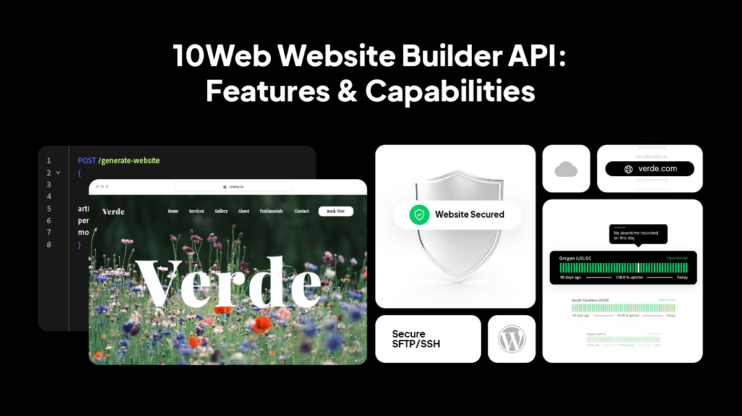
Systems like 10Web’s white label solution for agencies, are designed to resolve the tradeoff Multisite and reseller hosting never could: combining per-site isolation with centralized control, while also reducing the manual work required to build and manage sites in the first place.
They don’t start with infrastructure. They start with the agency workflow.
Instead of separating creation, editing, hosting, and management as separate layers, they bring the entire lifecycle into one system: from initial build to ongoing operations.
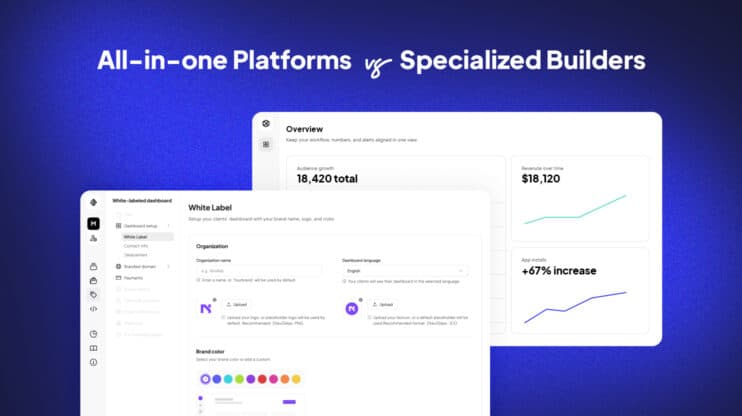
Each client site runs in an isolated managed WordPress environment, eliminating the shared-risk model of Multisite. At the same time, updates, backups, monitoring, and access are handled through a unified dashboard, removing the fragmented workflows of reseller hosting.
But the shift is not just architectural. It’s operational. The system doesn’t just automate tasks. It coordinates them, turning planning, generation, updates, and optimization into a continuous, agent-driven workflow.
These platforms generate complete WordPress websites from structured inputs, not blank themes. Teams modify sites through prompts or visual editing, not manual rebuilds. The result is not just faster delivery, but a system that stays maintainable as the number of client sites grows.
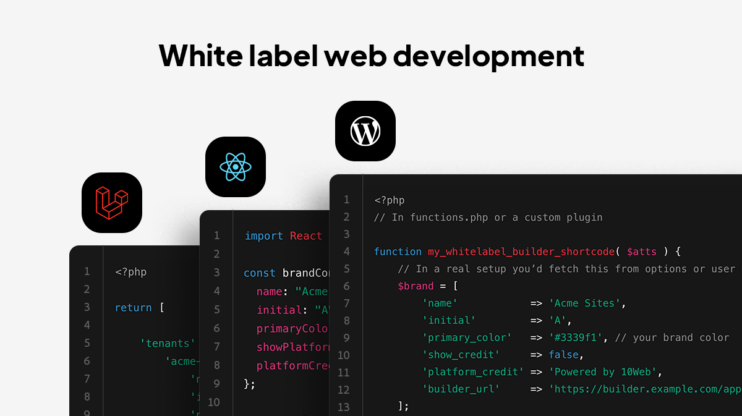
The white-label layer ensures that clients interact with a branded experience, not the underlying infrastructure. And because resources are allocated per site, not per plan, individual websites can scale independently without forcing account-level migrations.
This is what bridging the gap looks like in practice:
- Isolation at the infrastructure level
- Centralization at the management level
- Automation at the production level
Not a better version of hosting, but a different category entirely: a system for operating websites at scale.
Which option is right for your agency? A decision framework
The right choice depends on what you’re optimizing for: uniformity, isolation, or operational efficiency at scale.
Choose WordPress multisite if:
- All sites share an identical codebase: same theme, same plugin stack, same branding
- You’re managing internal sites, not client sites
- You need centralized content distribution (e.g., a network of regional news sites run by the same organization)
- Client isolation is not a requirement because all sites belong to the same entity
Choose traditional reseller hosting if:
- Clients need their own cPanel credentials and server-level access
- You want a passive revenue stream from hosting markup with minimal management overhead
- Sites have very different technical requirements that can’t share a plugin stack
- You have in-house sysadmin capacity to manage the WHM layer
Choose a purpose-built agency platform if:
- You manage 10 or more client sites and need both isolation and centralized management simultaneously
- You want to white-label the client experience without configuring it from scratch
- Your team needs to delegate site management tasks without granting server-level access
- You’re growing and need infrastructure that scales individual sites independently
The third category is not a hosting upgrade. It’s a shift from managing sites individually to operating them as a system.
Conclusion
Multisite was built for content networks. Reseller hosting was built for ISPs. Both predate the modern agency model by over a decade. Yet, they remain the default recommendation for agencies trying to scale client work today.
The core issue isn’t the tools. Most agencies inherit an infrastructure decision made when they had five clients, and never revisit it until the operational cost becomes impossible to ignore. By then, the architecture is load-bearing. Migration feels risky. So the team adds another plugin, another manual process, another workaround. The overhead compounds until it starts eating away at the margin.
The agencies winning at scale are the ones who treated infrastructure as a business decision, not a technical one.
FAQ
What is the best way to manage multiple WordPress sites without logging into each one?
The best way is to use a centralized platform with a single dashboard that manages all sites at once. This removes the need for repeated logins and allows agencies to scale efficiently beyond 10–20 sites.
Is WordPress Multisite a good solution for client websites?
WordPress Multisite is not ideal for client websites unless they share the same structure and ownership. Because all sites run on a shared database, a single failure or security issue can impact the entire network.
Why does reseller hosting still require so much manual work?
Reseller hosting requires manual work because each site is managed separately despite being isolated. Tasks like updates, backups, and monitoring still need to be handled per account, creating repetitive workflows.
What happens when you scale past 20–30 WordPress sites?
Past 20–30 sites, manual management becomes unsustainable due to compounding operational overhead. Small tasks like updates and monitoring turn into hours of weekly work, requiring a centralized system to stay efficient.
What should agencies look for instead of Multisite or reseller hosting?
Agencies should look for platforms that combine per-site isolation with centralized management and automation. This enables them to operate websites as a scalable system rather than managing each site individually.