Vibe coding builders are built for a different job.
Vibe coding builders solved the generation problem. A website is mostly an operation problem. Those are different problems, and solving one doesn’t move you any closer to solving the other.
Lovable can generate a homepage from a paragraph of text in under a minute, and the generation quality keeps getting better in ways that are genuinely impressive. What the demo shows is a finished-looking surface, and a website is not a surface. It’s a system that a team has to run after the demo ends.
Vibe coding builders, although they initially work with a prompt and anyone who can put together a sentence, to make changes without altering everything else, they require developers. As we all know, that tribe is a very busy one.
By week two, the marketing manager is asking the developer to update the homepage copy because there’s no other way to do it. The developer is busy. The copy stays wrong for three days, then five, then, well, you get the picture. This is the moment when a vibe-coded site stops being a website and becomes a dependency. This is also the moment that vibe coding builders fail for websites.
The content editor
When a business hands a vibe-coded site to a marketing team, the first thing the marketing team discovers is that the site doesn’t belong to them. There’s no CMS, no interface where a non-technical person can publish a post or change a headline without going back to the agent or finding a developer, so every content decision routes back to whoever holds the API keys.
A CMS is the mechanism through which a business operates its website, not a feature layer. The marketing manager who needs to schedule a product launch for Thursday, the editor who needs to approve a draft before it publishes, the business owner who wants to adjust pricing before a call — without a CMS, none of them can do their job, and no amount of better generation fixes that, because the build is great but the output doesn’t support the people who have to use it after the build.
The teams I’ve seen move from vibe-coded outputs to WordPress describe it the same way: the site was great at launch, and then they realized they couldn’t run it. Not that it was hard to run. That they couldn’t run it. The rebuild that followed cost more, in time and money, than the original build.
Five people need to touch the site
The admin problem follows directly from the ownership problem.Who can edit what, and what happens when multiple people need to work on it simultaneously.
A growing business has a:
- content writer
- an editor
- a marketing lead
- agency contact
Each of them need a different level of access and the ability to work without accidentally overwriting each other or breaking something.
WordPress has handled this since 2003, not because it’s sophisticated but because it was built on the assumption that a website belongs to a team. On a React app generated from a prompt, team structure has to be built from scratch by a developer before any of it works.
Every integration is a custom build
A website connects to whatever the business already uses, and on a React app, every one of those connections is a project: a developer builds it, tests it, maintains it, and owns it when it breaks. As the business grows and changes tools, that integration surface grows with it into an ongoing engineering cost with no natural ceiling.
WordPress has 60,000+ plugins because the market that runs on WordPress needed them and built them over two decades. HubSpot connects to WordPress because WordPress is worth connecting to. WooCommerce works on WordPress because WordPress is where commerce happens at the scale that makes WooCommerce viable. None of this transfers to a freshly generated React app, which starts with no ecosystem and gives the market no reason to build one around it.
SEO
A React app is invisible to search engines until a developer builds the structures that make it visible, and most teams at launch don’t have the bandwidth to do all of that correctly. The result is that a site with real content and real potential starts accumulating SEO debt before the first post is published, not because the team didn’t know what to do, but because the environment where they knew how to do it didn’t exist.
WordPress gives teams a mature SEO surface from the moment the site is built, because the structures search engines expect have been part of WordPress for over a decade. The marketing team that knows how to manage SEO can start doing it immediately, rather than waiting for a developer to build the tooling they need first.
Re-prompting doesn’t scale
The counterargument is that none of this matters if the agent stays in the loop, handling changes through prompts rather than a CMS. In practice, this breaks at two points that compound on each other.
The first is that prompt-based editing is not equivalent to direct editing. Updating a headline through a prompt means describing the change, waiting for generation, reviewing the output to confirm only the intended thing changed, and correcting anything that shifted unexpectedly as a side effect. In a CMS, the same change takes seconds and affects only what you touched. Across the frequency at which a real website changes, that difference is not marginal.
The second is recovery. When a prompt produces the wrong result on a live site, getting back to a known good state requires another prompt, with the same uncertainty about what else might shift.
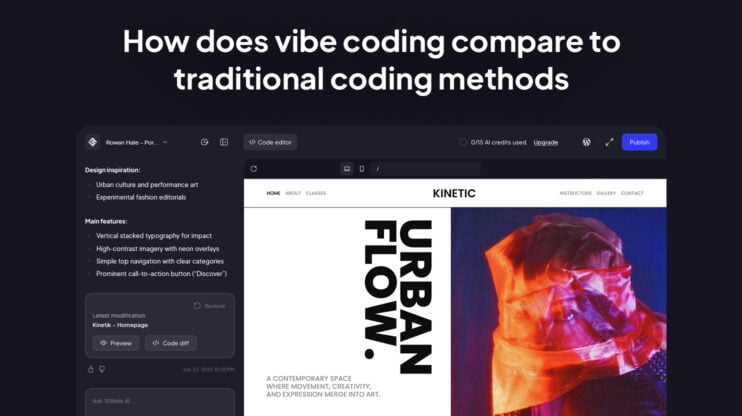
With the 10Web Agentic Website Builder, no AI edit goes live until it’s explicitly saved and published, and any previous version is restorable directly from the chat history. But more fundamentally, a team publishing 20 pieces of content a month cannot operate through a prompt interface. The agent replaces the developer. It doesn’t replace the CMS.
Generation vs operation
Generation quality will keep improving.
A website is not a one-time output. It’s a living business asset that evolves with new content, changing marketing priorities, growing integrations, SEO strategy, security updates, and the people responsible for managing it. Those are operational challenges, not generation challenges. No amount of better prompting or larger language models eliminates the need for a foundation that teams can run. As AI generation becomes a commodity, operational readiness becomes the competitive advantage.
FAQ
Which tools connect automatically when 10Web builds a site, and which require manual setup?
10Web builds real WordPress, so every tool that has a WordPress plugin—HubSpot, GA4, Mailchimp, Meta Pixel, Hotjar, booking tools, forms, and CRMs—connects through the plugin ecosystem rather than a custom integration. There is no automated pre-wiring of specific tools; plugin installation replaces custom development entirely.
Does a 10Web-built site ship with an SEO plugin pre-configured?
The specific plugin varies, but every 10Web-built site has a mature SEO surface from day one: editable metadata, slugs, schema, sitemaps, redirects, canonical tags, and Open Graph data. Content and marketing teams work in an environment they already understand, without waiting for a developer to configure it.
How does editing a headline in Lovable or Bolt compare to doing it in WordPress?
In a prompt-only builder, changing a headline means describing the change, waiting for generation, reviewing the output to confirm nothing else shifted, and correcting anything that did. In WordPress, it’s a direct click on the field you want to change. The difference per edit is small; across the frequency at which a real website changes, it adds up.
What happens when the AI makes a wrong edit, is there rollback?
The builder uses an explicit Save and Publish model. Any unsaved edit can be abandoned by closing or refreshing—nothing on the live site changes. For edits that were already saved, previous versions are accessible directly from the chat history.
Can a non-technical editor start working in WordPress admin right after a 10Web build?
Yes. The handoff is a live WordPress site, not a prototype or a developer-owned React app. A non-technical editor can open WordPress admin immediately and use familiar workflows for pages, posts, media, SEO settings, user management, drafts, and scheduled publishing. The 10Web visual editor is also available for direct design changes.
What exactly is missing when we say Lovable or Bolt has 'no CMS'?
A CMS is not a text editor. It means structured content types, media management, draft and revision history, scheduled publishing, author roles, editorial workflows, URL control, and a publishing interface non-developers can use without touching code or re-prompting an agent. None of these exist in the output of a prompt-only builder.