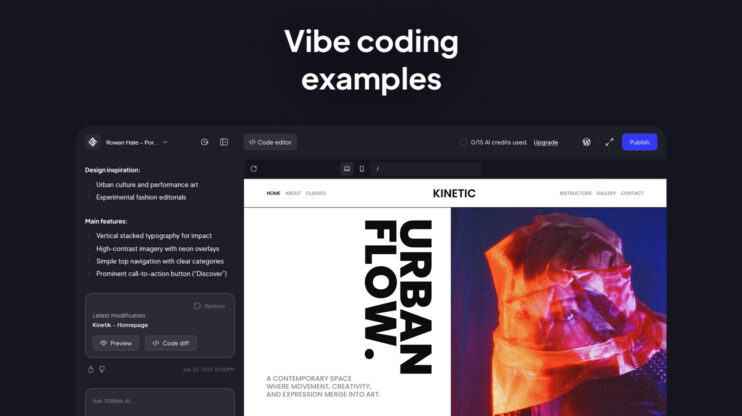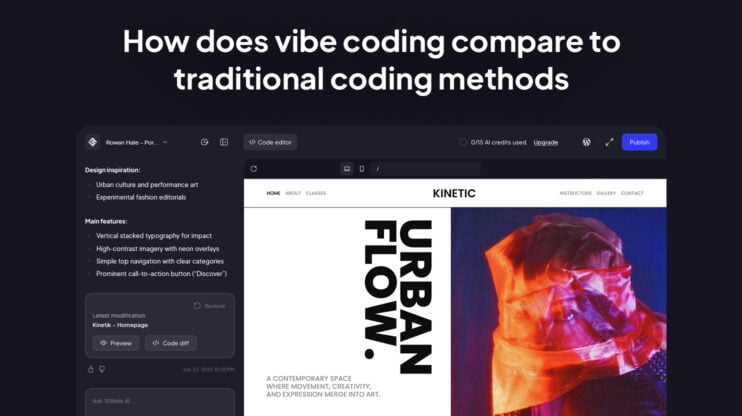

The 10Web AI website builder is an agentic system: a team of specialized AI agents that turns a short prompt into a real, production-ready WordPress site you own. It does more than generate a layout. It interprets your brief, plans the structure, builds a design system, generates pages and content, provisions a managed WordPress site, and hands you a visual editor to refine it. The output is a standard WordPress site you can edit, extend with plugins, and move to another host whenever you want.
What is an agentic website builder?
An agentic website builder uses multiple specialized AI agents that collaborate across the website lifecycle, rather than a single model that fills in a template. Each agent owns a stage: interpreting your brief, planning the sitemap, designing the visual system, generating pages, and optimizing the result. Together they behave like an AI web agency, where a planner, a designer, a developer, and an SEO specialist pass structured work to one another.
10Web is an agentic website builder for WordPress. The agents generate the site, and WordPress is the foundation the site runs on. That pairing is what separates a durable website from a disposable prototype. For a deeper look at the model, see our guide to the agentic website builder for WordPress.
10Web as an AI web agency
10Web replaces the full agency workflow with ten specialized AI agents, each owning a distinct role in a coordinated production pipeline.
| Agent | What it delivers |
| Project Manager | Sitemap, user journeys, conversion strategy, execution briefs for all agents |
| Designer | Design system: typography, color palette, spacing, responsive specs |
| Developer Team | Production WordPress code, pixel-perfect responsive implementation |
| QA | Cross-device testing, performance audits, accessibility checks |
| Content Writer | On-brand page copy, CTAs, blog posts, meta-optimized content |
| Visual Content | AI-generated hero images, icons, and illustrations |
| DevOps | Managed hosting, SSL, CDN, staging environments, monitoring |
| SEO | Technical audit, keyword strategy, schema markup, Core Web Vitals |
| Analytics | GA4 setup, conversion funnels, A/B test recommendations |
| WooCommerce | Store setup, checkout flows, payment gateways, shipping, tax config |
The Project Manager agent acts as the orchestrator. Every downstream agent works from structured execution briefs, not raw prompts. Alignment with the original brief is continuously validated across all stages.
How the 10Web agentic website builder works
The 10Web AI website builder follows a six-stage pipeline that turns your prompt into a live site. Each stage produces a structured output that the next stage builds on. You can review and steer the result at every step, so you guide the build instead of accepting whatever the AI returns first.
At a high level, the process looks like this:
- Intent interpretation. AI analyzes the business description and goals.
- Website planning. The system proposes a sitemap, structure, and navigation.
- Design system generation. Colors, typography, and layout rules are defined.
- Site generation and CMS provisioning. Pages, menus, and content are created.
- Editing and refinement. Users modify sections visually or with chat-based AI assistance.
- Hosting and deployment. The website goes live on managed infrastructure.
Together, these steps form the agentic website generation pipeline that turns a prompt into a fully functional website, ready for ongoing, AI-assisted content updates and management. Let’s look at them in detail.
Step 1: From prompt to structured intent
The process starts with a short description of your business and a site name. You answer a few onboarding questions, and you can upload brand assets or import content from an existing URL. The system reads that input to decide what the site needs to be: whether it is informational or an online store, which pages it requires, what tone fits the business, and what goals it should support. It defines the site before it writes a single page.
Step 2: Planning the structure
The builder then proposes a complete site structure for you to review. This is the information architecture stage, where the system draws the blueprint before building the house. You see the planned pages, the navigation hierarchy, the header and footer framework, and the suggested sections on each page. A typical site comes back with five to seven core pages, plus an ecommerce path if the business is a store.
You can adjust all of it before generation:
- Add or remove pages and sections
- Rearrange the page order
- Generate additional sections
Step 3: Establishing the design system
The builder defines a visual system and applies it at the WordPress theme level. It maps brand tokens, which are reusable style rules for color, typography, button shape, and spacing, into the theme so every page inherits the same styling logic. You get a coordinated color palette, heading and body typography pairings, button styles, spacing rhythm, and responsive behavior for mobile.
Defining these global styles before any page is generated keeps the site visually consistent and makes later updates simpler, because a change to the theme flows to every page.
Your design choices
You stay in control of the direction:
- Upload a logo
- Choose from curated typography combinations
- Select a color palette
At this step you also choose the global theme. You can select from 10 predefined system themes or let the AI generate a fully custom theme for the project. Personal themes can be created from scratch or adapted from an existing one, and they save account-wide so they carry across all current and future projects.
Global theme mechanics
Two theme behaviors are worth understanding:
- Inherited values: Elements using Default or named colors (Primary, Secondary, Background) inherit values from the global theme and update automatically when the theme changes.
- Independent values: Elements with manually assigned custom values become independent, so future theme changes do not affect them.
Dark and light mode switching is built in and works at two levels.
Automated logo & favicon behavior
10Web also generates the brand logo as part of the design system.
- Format and adaptation: It produces SVG typography logos for every website type, and SVG logos adapt automatically to dark and light mode. You can switch between SVG and PNG/JPG formats in the Media Library, though automatic color adaptation applies only to SVG.
- Theme integration: Logos integrate into the WordPress Theme Site Identity system rather than sitting as standalone image elements, so changing the logo in the editor updates it across the header and footer at once.
- Favicons: Auto-generated favicons are produced on publish and adapt to browser dark and light appearance automatically.
Step 4: Generating pages and provisioning WordPress
In this stage, the agents generate the site and provision a full WordPress environment. They create the pages, build the navigation menus, apply the theme, insert structured content sections, write draft copy, add responsive layouts, and set foundational SEO. If the business is a store, the WooCommerce agent configures checkout, payment gateways, shipping, and tax. The result is a multi-page WordPress website with real content and images, ready to run.
You can also start from a site or design you already have. Three specialized agents generate from an existing source instead of a blank prompt:
- Clone Agent: paste a URL to rebuild the source site’s structure and design as a WordPress build.
- Redesign Agent: transforms an existing site into a new design direction while keeping its content and structure.
- Figma Agent: converts a connected Figma file into a built WordPress site, after a Figma account connection and a verification step.
Once a specialized agent is selected, additional prompting is disabled and only the source link is needed. These agents generate pages rather than full websites and run during initial generation only, with editing-workflow integration in development. Global Themes do not apply to agent-generated pages, because these agents rely on inline styles to maximize fidelity to the source.
Step 5: Editing with visual, chat, and code
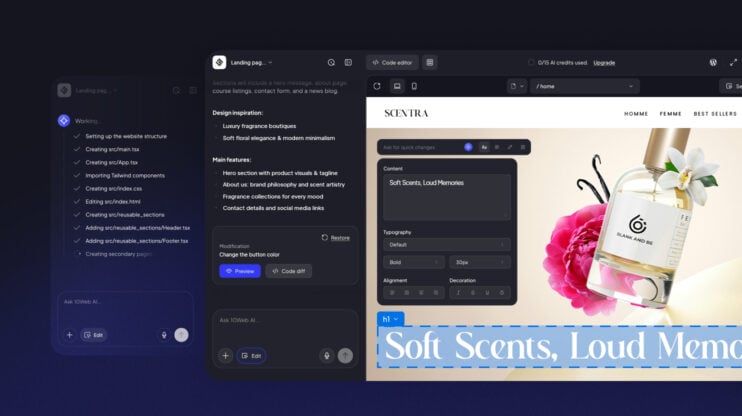
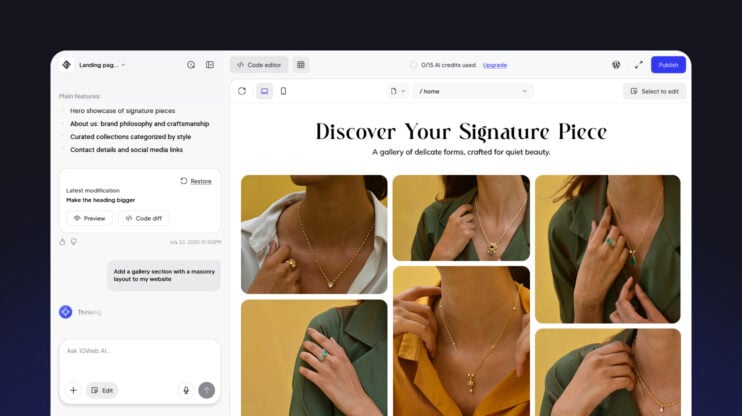
Once the site is provisioned, you refine it in a visual editor with AI assistance. You can modify sections visually, rearrange layouts, rewrite or regenerate content through chat, and adjust styling. The AI handles large structural changes, and the drag-and-drop editor handles precise tweaks.
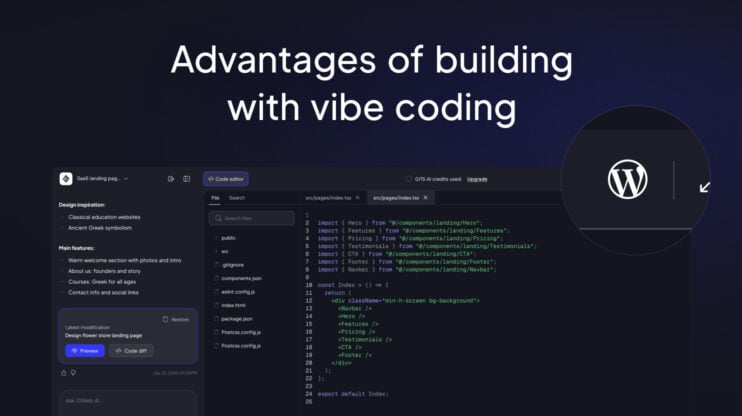
The reason the output escapes template sameness is architectural. 10Web generates real website code, the HTML, CSS, and JavaScript behind the page, rather than assembling pre-built widget blocks. An add-on AI editor is capped by its fixed widget library, so its sites tend to look alike. Because 10Web works on real code, the design is not confined to a catalog of layouts. You can read more about the chat-based editing experience.
Step 6: Hosting and publishing
Before launch, the QA agent runs cross-device testing, performance audits, and accessibility checks. To go live, the site runs on 10Web’s managed WordPress infrastructure. You can preview the site, connect a custom domain, and publish. You may start on a 10Web subdomain, and full publishing runs on the managed WordPress hosting environment, which includes SSL, automated backups, staging, a CDN, and performance optimization. Hosting is the final layer that takes the generated site into production.
The 8-phase pipeline
The pipeline runs sequentially. Each phase produces structured output that feeds the next.
- Brief: The Project Manager agent classifies the site type, maps user journeys, and produces structured execution briefs for every downstream agent
- Design: The Designer and Visual Content agents build the full design system before any page is generated. Brand tokens are mapped into the WordPress theme so every subsequent page inherits consistent visual rules automatically
- Build: Developer Team and DevOps agents provision a running WordPress environment: pages, menus, theme configuration, responsive layouts, and staging deployment
- Content: Content Writer and SEO agents produce page copy, meta tags, and schema markup aligned to the structure already established
- Commerce: The WooCommerce agent configures the full store: checkout flows, payment gateways, shipping rules, and tax settings
- Test: The QA agent runs cross-device testing, performance audits, and accessibility validation
- Launch: DevOps, Analytics, and SEO agents coordinate the production deploy with managed hosting, GA4 setup, conversion tracking, and sitemap submission
- Manage: All agents continue post-launch: content updates, SEO improvements, performance monitoring, and security patches
10Web’s technical moats
Every AI website builder on the market sends a prompt to a language model and returns layout code. Output quality is bounded by what one model can produce in one pass.
Replicating the agentic architecture requires building specialized agents per domain, then solving the harder problem: making them collaborate coherently across a full production pipeline.
- Multi-agent orchestration. Ten specialized agents, each with domain-specific context, pass structured output down a single production pipeline. Coordinating them coherently is a harder problem than any one model call in one pass.
- The WordPress ecosystem. WordPress runs 43% of all websites and holds 62% of the CMS market, with Shopify next at 4.8% (W3Techs). WooCommerce powers about one in three online stores, and the ecosystem brings 65,000+ plugins, deep SEO maturity that a new platform would take years to match.
- Localization depth. WordPress and WooCommerce already support local payment gateways, tax systems, and shipping integrations for nearly every major market. Rebuilding those country by country is a decade of work.
- B2B distribution. The platform ships as infrastructure through two integration paths: an API integration that stays white-labeled inside a partner’s product, and a self-hosted plugin that deploys into existing WordPress via cPanel or Plesk.
- Managed lifecycle. The agents keep operating after launch, which turns one-time generation into continuous infrastructure that partners’ customers depend on, and changes the churn dynamic.
Why the output is a real WordPress site you own
Every site the 10Web AI builder generates is a standard WordPress site, not a proprietary format. WordPress stores your pages, posts, and menus in a database, renders them through templates, manages user roles, and keeps a revision history. Because the output is real WordPress, you can extend it with the plugin ecosystem, add WooCommerce for a full store, and move it to another host using standard WordPress migration tools.
This is what protects the work as the site grows. The foundation is one that clients and developers already understand. A site rarely stays static, and over time you may want to add booking, launch ecommerce, gate content, or connect a CRM.
- With a CMS, those additions extend a system that already understands content, templates, roles, and navigation.
- Without one, you take on the data models, routing, and authentication flows yourself.
The agents generate quickly, and WordPress keeps the result extensible, governable, and yours.
What the AI manages after launch
The 10Web agents continue working after the site is live. Beyond generation, coordinated AI handles ongoing tasks like content updates, SEO improvements, and performance monitoring. The platform spans the full lifecycle: it builds the site, lets non-developers edit it, and helps maintain it over time. Generation is the entry point, and lifecycle management is what keeps the site current without a developer on call.
You can watch the pipeline run on your own idea. Describe your business in the 10Web AI Website Builder and see it plan, design, and generate a working WordPress site you can edit.
FAQ
What exactly is 10Web, and how is it different from a regular AI website builder? Do I need any technical knowledge to use 10Web? What does production-ready actually mean? How long does it take to build a website with 10Web? Can I clone an existing website or convert a Figma design into a live site? What happens to my site after it goes live? Who manages hosting, uptime, and security? Why build on WordPress instead of a proprietary platform? Can I white-label 10Web and offer it to my clients under my own brand? Can I use 10Web to build a serious ecommerce store, not just add a buy button?
10Web is an agentic AI platform that builds and manages full production websites, not just layouts. Where most AI builders generate a front-end prototype and stop, 10Web runs ten specialized AI agents that cover design, development, content, hosting, SEO, QA, analytics, and post-launch management in a coordinated pipeline. The end result is a live WordPress site, not something you hand off to a developer.
No. The agents handle the technical layer, server provisioning, WordPress configuration, responsive implementation, performance optimization, and deployment. You describe what you need; the pipeline produces a running site. If you want to make edits after launch, the Visual Editor gives you design control without touching code.
It means a live, hosted WordPress site not a code export or a static mockup. The DevOps agent provisions the hosting environment, the Developer Team writes the theme and page code, and the site is deployed with SSL, CDN, and staging. There’s no separate step where you move the output somewhere or hand it to a developer to finish.
It takes 2-3 minutes to generate a fully functional website with 10web Agentic builder.
Yes. 10Web offers three specialized generation agents for this: the Clone Agent replicates a source site’s structure and design from a URL, the Figma Agent converts a Figma file directly into a built WordPress site, and the Redesign Agent transforms an existing site into a new design direction. These agents currently generate pages rather than complete multi-site builds, and full editing workflow integration is in development.
This is one of the key differences. Most AI builders end at launch. 10Web’s agents continue operating post-launch: the SEO agent runs ongoing improvements, DevOps handles performance monitoring and security patches, and the Content Writer can update copy. For B2B partners, this turns a one-time generation feature into infrastructure customers actively depend on month over month.
The DevOps agent handles managed hosting, SSL, CDN configuration, staging environments, and monitoring as part of the build. You don’t need to provision a server or manage a separate hosting account. 10Web also integrates directly with 300+ existing managed WordPress hosting providers for businesses that want to deploy through an existing partner.
WordPress powers 43% of all websites globally and holds 62% of the CMS market. Building on it means access to 65,000+ plugins, deep SEO infrastructure that Google’s crawlers understand well, local payment gateways and tax systems for virtually every major market, and a 300+ provider hosting ecosystem. Building a competing platform from scratch would require replicating thousands of integrations that already exist in the WordPress ecosystem.
Yes. 10Web offers a full white-label reseller dashboard that includes the AI builder, editor, billing, and client management — all branded to your company. Clients never see 10Web. This is one of three B2B integration paths alongside a direct API integration and a self-hosted plugin for existing WordPress infrastructure.
Yes. The WooCommerce agent configures a full store: checkout flows, payment gateways, shipping rules, and tax settings. WooCommerce powers roughly one in three online stores globally with 39% of the ecommerce platform market. The integration isn’t surface-level — it covers the full commerce stack, including localized payment and tax systems for international markets.