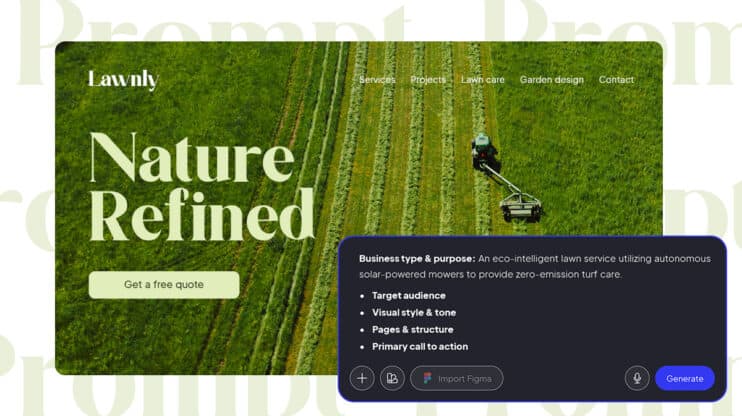
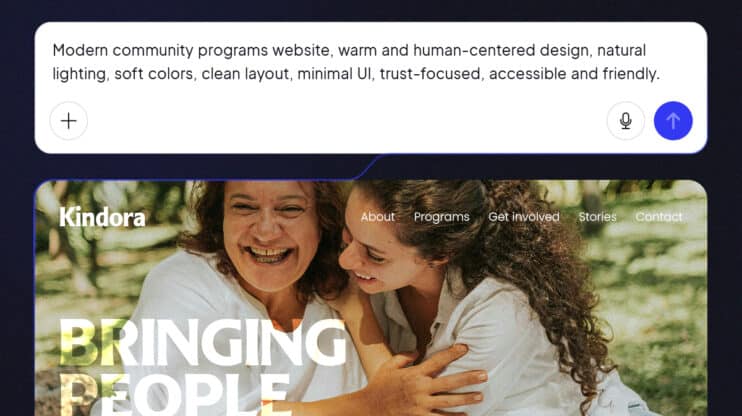
Thirty seconds and a text prompt is a remarkable way to produce something that looks like a website but still isn’t one.
That gap between what AI generates and what a business can actually run is the defining problem in AI website building right now. The tools have gotten faster. The demos have gotten more impressive. But the distance between generated and operational has not collapsed the way the marketing suggests.
Understanding that distance starts with understanding why it exists.
Most AI website generation is fragmented by design
Most AI website tools solve one slice of the problem. They handle the initial generation: structure, layout, placeholder content, a first render that looks complete. Everything else sits outside the tool, and the user is responsible for assembling it.
Here is what typically comes after an AI website generation:
- Find a hosting provider and configure DNS
- Set up SSL and CDN separately
- Install and configure an SEO plugin
- Connect a CMS so the client can actually edit the content
- Add contact forms, analytics, and payment integrations
- Figure out how to manage updates without breaking the design
- Train the client, or hire a developer, to handle ongoing changes
The AI handled step one. The user handles the next seven. This is not a minor inconvenience. It is the actual workflow, and it explains why launched in minutes and ready for business are rarely the same event.
The underlying issue is that most AI website tools are built to demonstrate generation capability, not to manage the full operational lifecycle of a business website. A generated website is output. A production-ready website is infrastructure.
What production-ready means
Production-readiness is a set of requirements a website must meet before a real business can run on it. Here is what that threshold looks like across six criteria.
1. A real CMS your client can actually use
A production website needs a content management system. Not a simple database interface, not a locked editing panel, a real CMS with user roles, permissions, revision history, and publishing workflows.
Clients need to update their own team pages, publish blog posts, and swap out images without sending a support ticket. When the AI website generation process outputs something without a proper CMS, the client cannot self-manage the site. Every update becomes a billable hour or an ignored request.
WordPress powers 43% of all websites on the internet and has this infrastructure built in: roles, editorial workflows, revision history, and a content interface that millions of people already know how to use. 10Web’s Agentic website builder outputs real WordPress, which means the CMS comes with the generation, not as a separate setup step.
2. SEO infrastructure built in
A 2025 audit by Search Engine Journal found that 62% of AI-built websites fail basic local SEO requirements. Missing meta tags, no schema markup, poor Core Web Vitals, problems that compound the longer a site is live without them.
SEO infrastructure needs to be baked into the platform the site is built on: clean permalink structures, XML sitemaps, meta tag management, schema support, and performance scores that meet Google’s Core Web Vitals standards. Yoast SEO alone runs on 13 million+ WordPress sites, and Google’s crawlers understand WordPress site structure deeply.
An AI website tool that outputs to a proprietary stack leaves all of this on the table. The user goes back to the fragmentation loop to find an SEO solution, adding another tool, another configuration, another point of failure.
3. Editing without a developer
A Nielsen Norman Group study found that over 80% of AI-generated websites share almost the same structural logic. Users can identify AI output immediately. The only way to differentiate is to edit, which most AI website tools make genuinely difficult for anyone without development skills.
Production-readiness means three editing paths exist and all three operate on the same live site:
- Conversational editing: describe a change in plain language and the AI applies it in real time
- Visual drag-and-drop: point-and-click layout editing without touching code
- Direct code access: full control for developers when needed
If editing the generated site requires a developer for anything beyond copy changes, the tool has produced a prototype. It has not produced a production website.
4. Performance and hosting included
A production website is live 24 hours a day. That requires managed hosting, SSL, CDN, automated backups, and uptime monitoring, none of which are optional.
Many AI website tools hand users a generated file or a proprietary URL and leave hosting as a separate problem. That is another vendor to manage, another monthly invoice, and another integration point that can break.
Production-ready AI website generation includes hosting as part of the platform. 10Web runs on Google Cloud infrastructure and delivers a 90+ PageSpeed score as the default output.
5. Plugin ecosystem and real integrations
Real business websites need integrations. Payment processors, CRMs, booking systems, email platforms, membership tools, forms, analytics. Yes, this list varies by business type, but it is always longer than any AI builder’s default feature set.
Proprietary AI builder stacks offer a walled garden. Users are limited to whatever integrations the platform has pre-approved, and each missing integration is another fragmentation point.
A production-grade platform gives access to a mature ecosystem instead. WordPress and WooCommerce, WordPress’s ecommerce layer, together power a large chunk of the web. That is decades of community investment that no proprietary stack can replicate on a six-month development timeline.
6. No vendor lock-in: You own what you built
Some AI website tools limit export options or block direct code access entirely. Before committing to any platform, four questions settle the lock-in question:
- Can you export your content in a portable format?
- Do you own the underlying site files?
- Can you migrate to another host without rebuilding?
- Does the site continue to function if the company shuts down?
If the answer to any of these is no, the user does not have a production website. They have a subscription to someone else’s infrastructure. Production-ready means the output is portable. In other words, standard files on open infrastructure that survive vendor changes, pricing shifts, and platform pivots.
What the prompt-to-production workflow actually looks like
A genuine prompt-to-production workflow does not transfer the fragmentation problem to the user. It eliminates it at the generation level.
When AI website generation is built around a coordinated agent pipeline,
- Strategy
- Design
- Development
- Content
- SEO
- QA
- Infrastructure
handled in sequence by specialized agents, the output is complete.
10Web’s agentic website builder works this way. A single prompt triggers a multi-agent pipeline:
- A project manager agent coordinates the brief
- Designer and visual agents generate the layout and assets
- A developer agent produces production WordPress code
- Content and SEO agents write and optimize copy
- A QA agent validates performance and accessibility before launch
Hosting is provisioned automatically on Google Cloud.
The platform covers four generation paths to match every real-world scenario:
- From a prompt: describe the business and the agents build the site
- From an existing URL: clone any live website into a new WordPress installation
- From a Figma file: convert a design directly into a functioning, hosted site
- From an AI redesign: refresh an existing site through natural language direction
In each case, the generated site is the production site. There is no rebuild step, no intermediate prototype, and no gap to close before the client goes live.
The production-ready checklist, how to evaluate any AI website tool
Apply these six questions to any AI website tool before committing to it. The fragmentation problem shows up clearly in the answers.
- Does it output a real CMS — or a static page the client cannot manage independently?
- Is SEO infrastructure included from generation — or is it a plugin added separately after launch?
- Can non-developers edit the site after launch — without opening a dev ticket for basic changes?
- Is managed hosting part of the platform — or a separate vendor to configure and pay for independently?
- Can I access a full plugin and integration ecosystem — or only the tools the platform has pre-approved?
- Do I own the output — can it be migrated to another host without a rebuild?
Most AI website tools fail three or more of these questions.
The bottom line
The speed of AI website generation is no longer the differentiator. Every tool is fast. Ask yourself what you have when the generation stops. Does it hold long-term value or is it disposable?
A generated website that fails the six-point checklist is a starting point. It requires additional tools, additional configuration, and often a developer to bridge the gap between output and operation. The fragmentation problem does not disappear, it shifts from before generation to after it.
Production-ready means the site generated from the prompt is the site the business runs. No assembly required. No separate vendors to stitch together. No developer on standby for basic client edits.
That is a different product category from AI website generation that stops at the first render. Knowing the difference before choosing a tool is the most practical decision a business owner, freelancer, or agency can make.