



How to Change WordPress Password Quickly
Whether you manage your WordPress website or are a member of an organization, being on the WordPress dashboard, security is key. Setting a secure password is the first step to ensure your WordPress website is not vulnerable to hackers. Understanding and implementing strong password security practices is not just recommended; it’s essential. If you have set a password and want…

13 Roofing Websites Sites That Nail Trust and Conversion
When I started researching roofing websites, I expected to find great designs. Instead I saw stock photos, generic taglines, slow pages, broken buttons, and honestly, I wanted to close most of them right away. After a few hours, they all started to blur together: same layout, same copy, nothing memorable. Nothing that made me trust the company, or even want…

Can AI Build a Website? Easy Steps, Tips & Tools
AI website builders have changed how professionals and everyday users make websites and compelling content that resonates with us as an audience. Advancements in these tools modernize the entire website-building process through automation and generative technology. Now, AI website building platforms: Design and build a website in minutes Assist with publishing and optimizing content Automate repetitive website admin tasks and…

How to Edit WooCommerce Product Page with Elementor
Do you want to edit WooCommerce product page with Elementor? You’re in the right place to learn how to edit WooCommerce product page with Elementor. Setting up WooCommerce and Elementor on your WordPress site streamlines the process of creating compelling, customized product pages. This introduction outlines the essential steps to install both WooCommerce and Elementor, followed by enhancing your site…

Resolving MySQL Error 2002
When diving into the realm of MySQL, encountering error codes is a part of the journey, and MySQL Error 2002 is one such hurdle. This error is a common sight for developers and database administrators, signaling a hiccup in the connection process to the MySQL server. But, understanding this error and knowing how to tackle it can transform it from…
How to Fix MySQL Error 1032 in Simple Steps
When working with MySQL database management, encountering errors can be part of the process. The MySQL-related errors are many, each requires close attention to fix and move forward. Such a worrying error is MySQL error 1032. Though bumping into MySQL errors seems like your workflow will stop for a while, there are strategic steps you can take to deal with…

17 Best Yoga Websites for 2025
Ready to build a yoga website that actually works? We’ve looked at over 100 top-performing yoga websites and found that 17 most successful ones share crucial elements: authentic imagery that genuinely connects with their specific audience, user-centered design that makes navigation intuitive, and content that guides visitors toward booking. Each of these best yoga websites approaches the mentioned principles through…

How to Resolve MySQL Error 1114
Running into MySQL error 1114 can feel like hitting a brick wall, especially when you’re in the midst of managing a database for a web application. Whether you’re exporting or importing SQL files, this error can pop up and disrupt your workflow, leaving you scratching your head, particularly because it might not always be clear what’s causing it. At its…

Solving Error 2006 HY000 MySQL Server Has Gone Away
Stumbling upon the ‘ERROR 2006 (HY000): MySQL server has gone away’ can definitely throw a wrench in your workflow, especially when you’re in the thick of managing a MySQL database. While somewhat cryptic, this error message signals a fairly common issue that many database administrators and developers face. But with some insight and some troubleshooting steps, you can get to…

How to Fix MySQL Error 1049: Unknown Database
The Error 1049: Unknown database acts as MySQL’s way of signaling that it’s unable to locate the database you’re attempting to engage with. Essentially, MySQL understands your request but can’t fulfill it because the database in question is, from its standpoint, nonexistent. Likewise, when you encounter the mysqldump: got error: 1049: unknown database and the MySQL Error 1049 – SQLSTATE:…
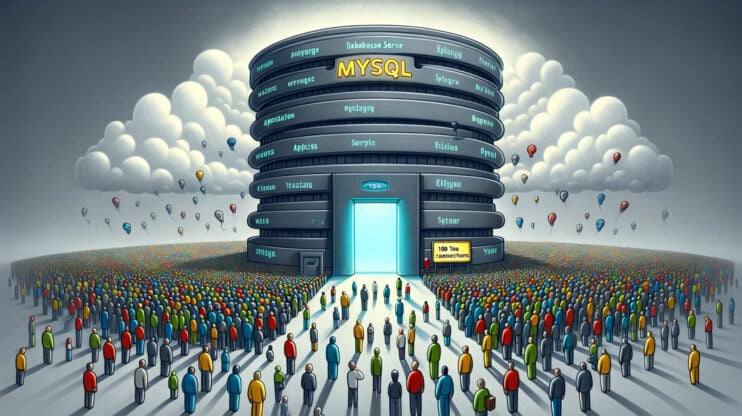
How to Fix MySQL Error 1040: Too Many Connections
The MySQL error 1040: Too many connections error pops up when a MySQL server has reached its maximum allowed number of client connections. Before we dive into the details of handling this issue, it’s crucial to understand the environment in which this error occurs and why it’s a common stumbling block for many developers and database administrators. MySQL, a cornerstone…

How to Fix MySQL Error 1044
Working with database management, you might bump into the MySQL error 1044. This occasional, not very common error indicates an “access denied” message. It happens when you try to import a database using phpMyAdmin. Even though this error seems like a headache, with the right approach and a bit of technical insight you will give it a fix. If you…
