
“AI website builder” is no longer a fringe term.
Today, when someone searches for it, they usually expect a fully hosted platform that can generate and publish a website in minutes. Tools promise: describe your business, get a live site, connect a domain, and launch.
And in many cases, that’s exactly what they deliver, but behind that simple promise, the architecture can vary dramatically. Some AI website builders:
- Generate layouts and host the websites.
- Add AI features to existing builders.
- Generate front-end code that developers must wire into databases and provision themselves.
On the surface, they all look similar. You type a prompt, and a website appears. But under the hood, the difference is whether that output is just a design or a structured, extensible, production-ready system.
That’s where 10Web’s AI Website Builder fits in.
It does far more than generating a layout. It provisions a real WordPress environment, complete with structure, theme configuration, and managed hosting, before you ever hit publish.
What makes an AI website builder production-ready?
A production AI website builder typically includes:
- An LLM layer for interpreting intent
- A planning engine for sitemap and structure
- A global design system (brand tokens → theme styling)
- CMS provisioning (themes, pages, menus)
- An editor layer for refinement
- Managed hosting with SSL, backups, and performance optimization
Together, these components form a complete AI website generation pipeline from prompt to live site. To understand why that matters, we need to look at how the pipeline actually works.
For a broader look at how AI and WordPress work together in 10Web’s ecosystem, see our guide to the AI Website Builder for WordPress.
Step 1: From prompt to structured intent
With 10Web, everything begins with a short description of the intended site and the site name. Users answer a few questions in a guided onboarding process, and optionally upload brand assets or import content from an existing URL.
On the surface, this looks like a simple prompt, but behind the scenes, 10Web’s AI interprets that information to determine:
- Whether the site is informational or an online store
- What types of pages are likely needed
- What tone fits the business
- What primary goals should the site support
The key distinction here is that the system doesn’t immediately generate pages. It first understands what the website needs to be, and that understanding drives everything that follows.
Step 2: Planning before building (wireframe + structure)
Once the business type is identified, the system proposes a complete website structure, which users can then adjust prior to generating the website.
This includes:
- Visual representation of suggested pages and page sections. (typically 5–7 core pages)
- Navigation hierarchy
- Header and footer framework
- Suggested sections per page
- Ecommerce path if it’s classified as a store
This stage is called information architecture. It’s the system drawing the blueprint before building the house.
Users can:
- Review the planned pages and content sections
- Add or remove pages and sections
- Rearrange the page order
- Generate additional sections
This planning phase is what separates structured AI builders from tools that simply generate UI fragments.
Step 3: Establishing the visual system (before pages are built)
After the structure is confirmed, the AI Website Builder defines the visual design and style.
Internally, this step maps brand tokens into the WordPress theme. In simple terms, brand tokens or design tokens are reusable style rules that apply across the whole site. Typically, this includes global style choices like your primary color, heading font, button shape, and spacing scale.
The AI Website Builder proposes a visual direction based on your business type and description. That includes:
- A coordinated color palette
- Typography pairings for headings and body text
- Button styles
- Spacing rhythm
- Responsive behavior for mobile
While the Builder decides what happens behind the scenes, users can still customize and personalize the websites it generates. You can:
- Upload a logo
- Choose from curated typography combinations
- Select a color palette
So, far from designing from scratch, you’re actually reviewing and steering in a direction already aligned to your business or desired site.
Instead of generating pages first and styling them afterward, the system defines global visual rules before any content is created. Those rules are applied at the theme level inside WordPress, so every page generated next inherits the same styling logic.
Global style rules ensure:
- Visual consistency across the site
- Easier updates later
- Stability as new pages are added
In other words, 10Web doesn’t just randomly generate attractive pages. First, it establishes a plan for website design and style decisions, then translates those choices into a WordPress theme.
Step 4: AI generation + WordPress project provisioning
Now that website generation is happening, it’s important to be precise about what that means here.
Here is where the AI Website Builder provisions full WordPress sites with themes, pages, and menus.
Behind the scenes, the system:
- Creates dynamic pages
- Generates navigation menus
- Applies theme configuration
- Inserts structured content sections
- Generates draft copy
- Applies responsive layouts
- Prepares foundational SEO settings
The output is a multi-page WordPress website with layouts, placeholder content, images, and mobile responsiveness handled during generation. That means AI Website Builder users can build a fully functional, dynamic website built on a widely supported, easy-to-use CMS.
This is the point for AI-generated websites where a CMS becomes critical. The CMS provides the foundation for AI-generated websites, ensuring scalability, extensibility, and longevity.
WordPress as the runtime environment
At this point, the AI has generated a site. But what largely determines whether that site can grow, evolve, and survive long term is the environment it runs in.
Many AI tools can generate code. Some generate beautiful layouts. Some export HTML files. Others operate as AI layers inside plugins.
In each case, the AI produces something visible, but what determines whether that output becomes durable infrastructure is the runtime beneath it.
As a CMS layer in the AI website-building process, WordPress provides structured content storage — pages, posts, and menus — in a database. It defines how templates render that content. It manages roles and permissions. It keeps the revision history. It allows plugins to extend functionality without rewriting the core.
It’s the system that governs how content, structure, and functionality relate to one another. If you’re unfamiliar with how pages, posts, and custom content types work inside WordPress, we break it down in detail in our guide to WordPress CMS structure.
Scaling beyond launch
A website rarely stays static. Over time, you may want to:
- Add booking functionality
- Launch ecommerce
- Introduce gated content
- Connect analytics or CRM tools
- Add new content types like directories or portfolios
With a CMS, those additions extend an existing system that already understands content relationships, templates, roles, and navigation.
Without that structured CMS, you are responsible for defining and maintaining those systems yourself, including data models, routing logic, authentication flows, and deployment processes.
That level of flexibility can be powerful. But it also transfers architectural responsibility to the builder, while the CMS provides those content systems by default. We explore what AI can do automatically, and where WordPress plugins extend functionality, in our guide to dynamic functionality in AI website builders.
Governance for teams and fleets
For agencies, SaaS platforms, hosts, and marketplaces, the runtime layer matters even more. When you’re managing multiple sites or onboarding customers at scale, you need control.
WordPress provides:
- Role-based permissions
- Revision history and restore capability
- Structured content workflows
- Extensibility through plugins
That governance layer reduces operational risk. AI can generate quickly, but without structured roles, revision tracking, and extensibility, rapid generation can turn into an unstructured mess.
By anchoring AI output inside WordPress, the AI Website Builder generates websites that can be managed, extended, and maintained over time.
The Editor Layer: Refinement on Top of Structure
Once the WordPress project is provisioned, an editor layer sits on top of it.
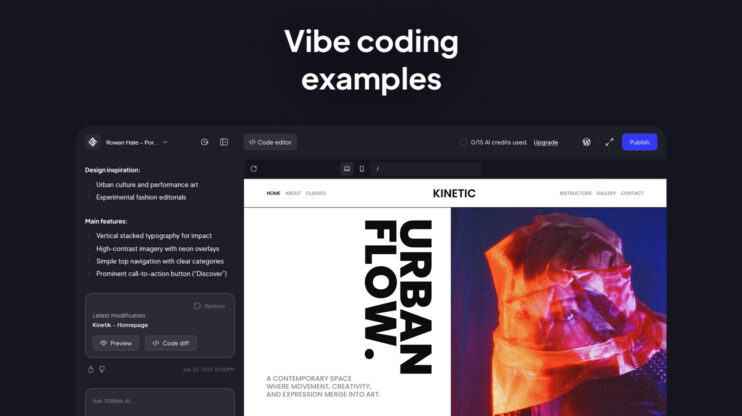
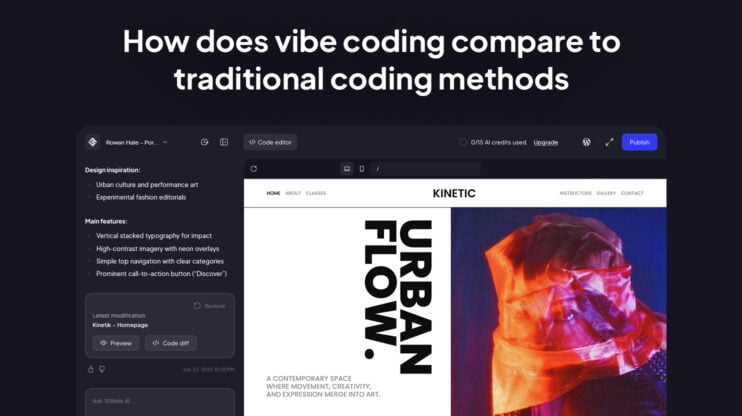
In the default experience, users enter a visual editor that includes AI assistance.
Inside that editor, users can:
- Modify sections visually
- Rearrange layouts
- Use chat-based AI to rewrite or regenerate content
- Adjust styling suggestions
In some rollout variants (primarily for informational-site flows), users may access a more conversational editing mode, where structural changes can be described in natural language.
Pages created in one editor remain editable in that editor. Both experiences run on the same WordPress provisioning layer.
Hosting and deployment
Hosting and deployment are the final layer in the stack. After generation and refinement, the site is ready to go live. You can preview it, connect a custom domain, and publish.
You may initially work on a 10Web subdomain. To publish fully, the site must be hosted on 10Web, which includes:
- Managed WordPress environment
- SSL
- Backups
- Performance optimization
With fully automated hosting, the AI Website Builder is built from the ground up for production-grade websites, featuring a sophisticated AI pipeline that generates sites on the world’s most popular CMS.
AI that ships
AI can generate UI quickly, but real websites need more than that.
In real-world conditions, websites require longevity, extensibility, and dynamic capabilities. So a production AI website builder doesn’t stop at generation. It leverages AI to assist with tasks throughout the lifecycle. From prompt to publish.