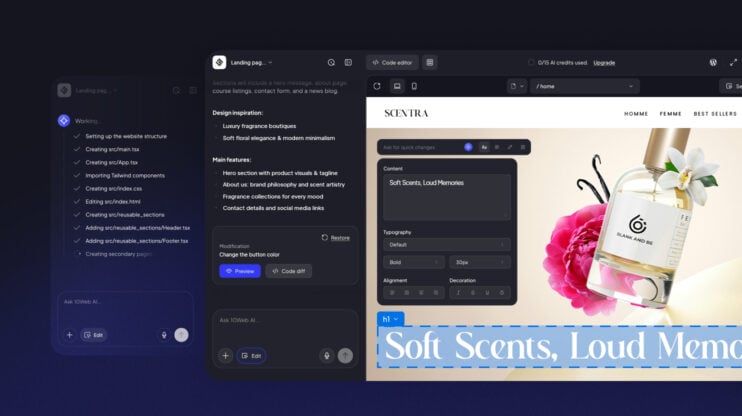
Most leading agentic site-building tools output React. That output lands without friction on Vercel, TanStack Start, Wix, and Webflow. However, most of the web does not live there. It lives on WordPress.
10Web has been a WordPress company since we started. We were inside WordPress when agentic building started taking its first steps. We were building for it, generating into it, and hitting its limits. It took our 30 engineers 12 months to build the React to WordPress bridge: the layer that converts AI-generated React output into a production-grade WordPress website.
Generation quality, design fidelity, and speed are problems every team in this category is working through. The bridge problem is the one that determines whether agentic website building can serve the full market: hosting providers and their customers who need real WordPress infrastructure. That is why it is the most important problem.
What the bridge does
WordPress was not built to receive AI-generated output. It grew across two decades of PHP rendering, plugin-driven extensibility, and a CMS that non-developers use to run their businesses.
When 10Web’s AI agents generate a site, the output enters a live WordPress environment with its own lifecycle and render pipeline: PHP rendering on the server, the block editor running in the browser, and a REST API threading between them. On top of all of that, a hook and filter system lets every installed plugin intercept and modify output at any point in the page lifecycle. Generated code has to behave correctly inside all of it simultaneously.
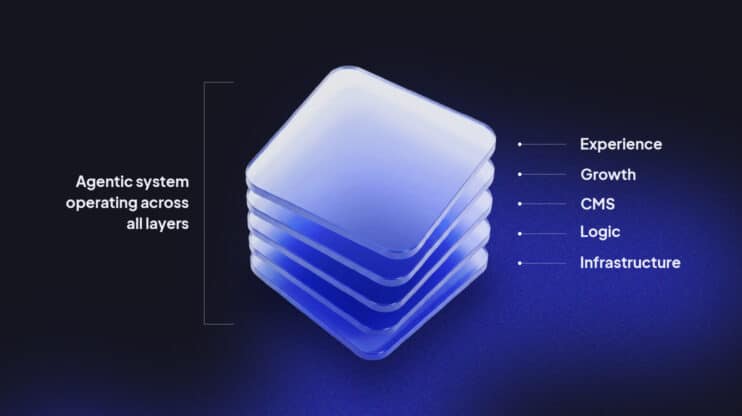
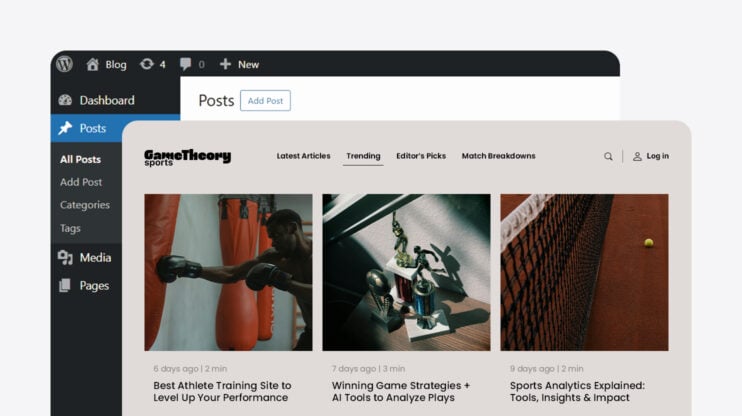
The bridge converts the React structure the AI produces into a full WordPress site architecture: theme files, block-compatible templates, registered assets, editable CMS fields, and PHP integration points. The result is a site clients manage through the standard admin, content teams update without a developer, and hosting providers support without extraordinary effort.
Why compatibility is hard
Every WordPress production site is already running plugins when generated output arrives. A caching plugin intercepts output before the browser receives it and stores a version the generator never produced. Each plugin is a surface where generated code can fail.
The failures are combinatory. A plugin that coexists cleanly with generated output on its own might conflict when combined with a second plugin modifying the same render pipeline. Testing plugins individually does not expose these failures. You will need to test the combinations visible in real production environments.
Compatibility verification runs continuously against the plugin combinations most common in real hosting environments. Every WordPress core release and major plugin update triggers another pass. Failure modes rarely appear in changelogs: they surface in how two specific systems interact under production conditions.
Performance follows the same logic. Generated code that works correctly in a clean environment can fail under WordPress caching layers, CDN rules, and conditionally loaded plugin scripts.
The React to WordPress bridge compiles output that respects those constraints: minimal client-side JavaScript, correct asset registration, no hydration patterns that conflict with server-side caching. Performance is a constraint the bridge enforces throughout the translation.
What it took to learn WordPress at this depth
The knowledge the bridge required to build wasn’t something we could read or find or study. It didn’t exist. WordPress documentation describes APIs, hooks, and data structures accurately. It does not cover how production environments fail.
Real WordPress failures happen at the intersection of plugins, versions, and server configurations: combinations no documentation covers. Hook priorities fire in undocumented orders; previews diverge from live frontends in ways only visible on a real server. These behaviors cannot be anticipated. They can only be discovered.
We learned them by generating thousands of sites, watching where they failed, and encoding each failure into a rule, a guard, or a regression test. A CSS conflict on a WooCommerce and performance plugin combination became a guard in the translation layer. A hook priority conflict that broke admin editing became a permanent test fixture.
The investment was 30 engineers over 12 months. The work did not end at launch. Every WordPress update, every major plugin release, and every new AI model output is a new input to a compatibility system that never stops changing.
A hosting provider building this internally faces the same discovery curve, the same team requirement, and the same ongoing obligation. At our unit cost, the build-versus-integrate decision runs 10 to 20 times in favor of integrating.
Where this leaves the category
The most important problem in a category is rarely the most visible one. The agentic builders who stayed in React-native ecosystems built excellent products for the market those ecosystems already served. The bridge determines whether that work reaches the rest of the web: the hosting providers and their customers who need a real WordPress AI website builder and infrastructure, not a new proprietary stack to migrate to.
We built it because we were already a WordPress company when the problem appeared. The category will keep advancing: faster generation, better design, more capable models. The bridge will need to advance with it. It is the unsexy work that makes everything else matter beyond the demo.
FAQ
What does the React to WordPress bridge do, technically?
The bridge converts AI-generated React output into a WordPress-native site architecture: theme templates, block-compatible content, editable CMS fields, registered assets, and PHP integration points. The hard part is preserving the generated design while translating it into WordPress’s execution model, so the result behaves like a real WordPress site, not an embedded frontend shell.
Why does plugin compatibility matter at this scale, and how is it verified?
WordPress production environments are plugin ecosystems where hooks, filters, scripts, styles, and admin flows are constantly modified by multiple plugins simultaneously. Compatibility is verified through automated regression testing, canonical plugin test sets, manual QA for high-impact categories, and feedback from live partner environments.
Where does the bridge most commonly fail?
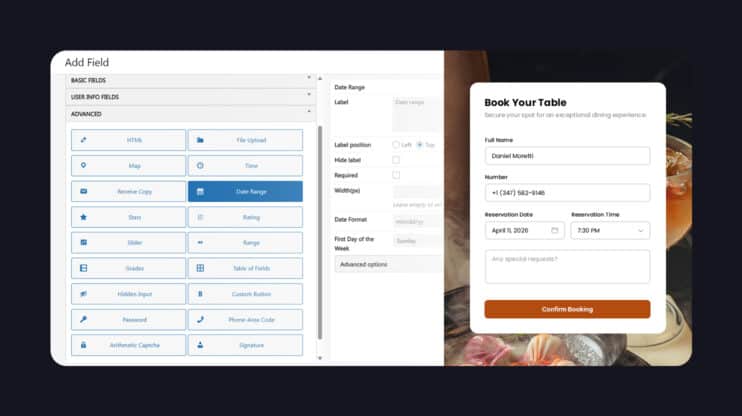
The most common failure modes are CSS collisions, JavaScript execution order conflicts, PHP hook and filter side effects, and admin/frontend discrepancies. WooCommerce, SEO plugins, caching plugins, and form builders expose these first because they modify both rendering and site behavior simultaneously.
What has building the React to WordPress bridge documented?
WordPress documentation covers APIs accurately. It does not document how plugins interact in real production environments: hook priority conflicts, legacy theme assumptions, and how popular plugins mutate output in practice. Those behaviors were learned by generating thousands of sites, observing where they failed, and encoding each failure into translation rules, compatibility guards, and regression tests.
How does the bridge handle WordPress core and plugin updates?
The bridge is a living compatibility layer. Every WordPress core update, major plugin release, and Gutenberg change is retested against generated-site fixtures to catch regressions before they reach production environments.
Where does React stop and WordPress begin?
React is the generation layer: layout, component structure, design, and interactive behavior. WordPress begins at the production boundary, where that output is converted into theme files, editable content, registered assets, PHP lifecycle hooks, and admin-operable CMS controls.
How does the bridge deliver Core Web Vitals performance?
The bridge compiles generated React into optimized WordPress output rather than shipping a client-side React app. That means minimal client-side JavaScript, conditional script loading, no unnecessary hydration, and markup that respects WordPress caching and CDN layers.